The Ultimate Beginner’s Guide to Blackbox AI: Features, Benefits, and Comparison
Coding used to be a skill hidden behind years of intense studying, confusing syntax errors, and endless nights of debugging. However, artificial intelligence has completely changed how developers write software. Among the fast-growing wave of AI-powered developer tools, Blackbox AI has emerged as a powerhouse for both beginners and experienced engineers.
If you are a newcomer trying to figure out how to leverage this technology, you are in the right place. This comprehensive guide will walk you through everything you need to know about Blackbox AI, how it works, its core benefits, and how it stacks up against the competition.
What is Blackbox AI?
At its core, Blackbox AI is an advanced AI-powered coding assistant built to speed up software development. In other words, it works like a highly skilled programming partner inside your code editor. Moreover, it understands natural language instructions, which means you can describe what you want in everyday English. As a result, it quickly turns those instructions into working source code.
Whether you need to build a web scraper, design a database query, or fix an annoying bug that is breaking your application, Blackbox AI handles the heavy lifting. By integrating directly into popular Integrated Development Environments (IDEs) like VS Code, it lets you code without constantly switching tabs to search for solutions.
Read more : Jupiter Notebook: A proven Tool That Makes Coding Effortless

Core Features of Blackbox AI
To understand why this tool has gained massive popularity among developers, it is important to break down its core capabilities. Therefore, here are the features that make Blackbox AI stand out.
1. Natural Language to Code Conversion
The most prominent feature of Blackbox AI is its ability to turn plain English into functional code. Instead of memorizing complex syntax for obscure libraries, you simply type a comment explaining what you want to achieve. Within seconds, the AI generates the exact lines of code required.
2. Code Autocomplete and Suggestions
As you type, the platform analyzes your existing code structure and predicts your next steps. Then, it provides context-aware autocomplete that fills in entire functions, loops, or variable structures. As a result, you need far fewer keystrokes, which helps you code faster and more efficiently.
3. Multifunctional Chat Interface
Beyond basic code generation, Blackbox AI features a dedicated chat panel. You can talk to it just like a human engineer. You can paste an error message, ask it to explain a confusing piece of code, or brainstorm software architecture ideas on the fly.
4. Vision and Image-to-Code Capabilities
One unique and highly powerful feature of Blackbox AI is its vision capability. For example, if you have a screenshot of a website design, a dashboard prototype, or even a handwritten wireframe, you can upload it directly to the assistant. Then, the AI analyzes the image and generates the matching HTML, CSS, or React code. As a result, you can recreate the same layout much faster.
READ MORE: The AI Environmental Footprint: What You Need to Know
Key Benefits of Using Blackbox AI
Implementing Blackbox AI into your daily workflow brings a massive wave of advantages, especially if you are working on tight deadlines or learning a new framework.
- Supercharged Productivity: Software development studies show that AI code assistants significantly minimize task completion times. By automating repetitive boilerplate setup, you can focus your energy on solving creative business logic.
- Frictionless Learning Curve:
For beginners, learning programming can feel like learning a foreign language. However, Blackbox AI acts as an on-demand tutor. In addition, it explains why certain code blocks work and provides clean, readable examples. - Drastically Reduced Debugging Time: Instead of spending hours scouring technical forums for obscure bugs, you can feed your errors directly to the AI to get instant patches and structural recommendations.
- Seamless IDE Integration:
It runs effortlessly as an extension within your favorite coding environments. As a result, you never have to break your creative focus or leave your workspace.
Common Use Cases: How to Leverage Blackbox AI
No matter your current skill level, there are several practical ways you can start utilizing Blackbox AI today:
Boilerplate Generation
Starting a new software project from absolute scratch is often tedious. You can instruct Blackbox AI to generate initial setup frameworks, such as a Python Flask API structure, an Express.js server, or a clean HTML5 template equipped with Tailwind CSS configs.
Code Refactoring and Optimization
If you have written a piece of code that works but feels sloppy or runs slowly, you can ask the AI to optimize it. It will refactor your logic to improve memory usage, execution speed, and overall clean-code readability.
Rapid Prototyping from Visual
If you are a UI/UX designer or front-end developer, you can instantly convert your visual mockups into code templates by using the image upload feature. As a result, you can move from design to development much faster. Consequently, teams can build functional MVPs (Minimum Viable Products) in a fraction of the time.
READ MORE: Predictive Analytics Made Simple for Modern Businesses

Blackbox AI vs. Other AI Coding Assistants
Choosing the right tool is critical for your workflow. Therefore, it is important to compare options carefully. So, let’s look at how Blackbox AI compares to other industry giants in the generative AI coding space.
| Feature | Blackbox AI | GitHub Copilot | ChatGPT / Claude |
| Primary Focus | Speed, Contextual Coding, Image-to-Code | Deep IDE Autocomplete, Enterprise Scaling | Broad Conversational Tasks, Logical Reasoning |
| IDE Extension | High-quality integration across major IDEs | Industry-standard integration (built on Codex) | Mostly web-interface based (requires separate API tools) |
| Visual Processing | Excellent built-in image-to-code recognition | Limited direct visual-to-code pipelines in editor | Outstanding reasoning, but requires manual copy-pasting |
| Best For | Independent devs, rapid prototyping, beginners | Professional engineering teams, deep enterprise repos | Debugging complex algorithms, writing thorough documentation |
While tools like GitHub Copilot are heavily optimized for predictive text within massive enterprise codebases, Blackbox AI shines through its user-friendly multi-modal features, allowing developers to jump fluidly between chat text, images, and raw source code.
READ MORE: Python Tutorial: A Simple and Beginner-Friendly Guide 2026
Advanced Features, Real-World Use Cases, and Pricing Analysis
While understanding the basics of an AI coding assistant is a great starting point, the true value of this technology reveals itself when you look at its advanced capabilities. In this section, we will explore the unique technology behind the platform, look at how everyday people use it without writing complex code, and break down the pricing structure so you can decide if it is worth your investment.
The Technology Behind the Tool: Multi-Model Architecture
Most AI tools on the market rely on a single large language model behind the scenes. For example, if you use a standard chatbot, you are only getting the logic of that specific AI system. If that particular system has a blind spot or a glitch, your results will suffer.
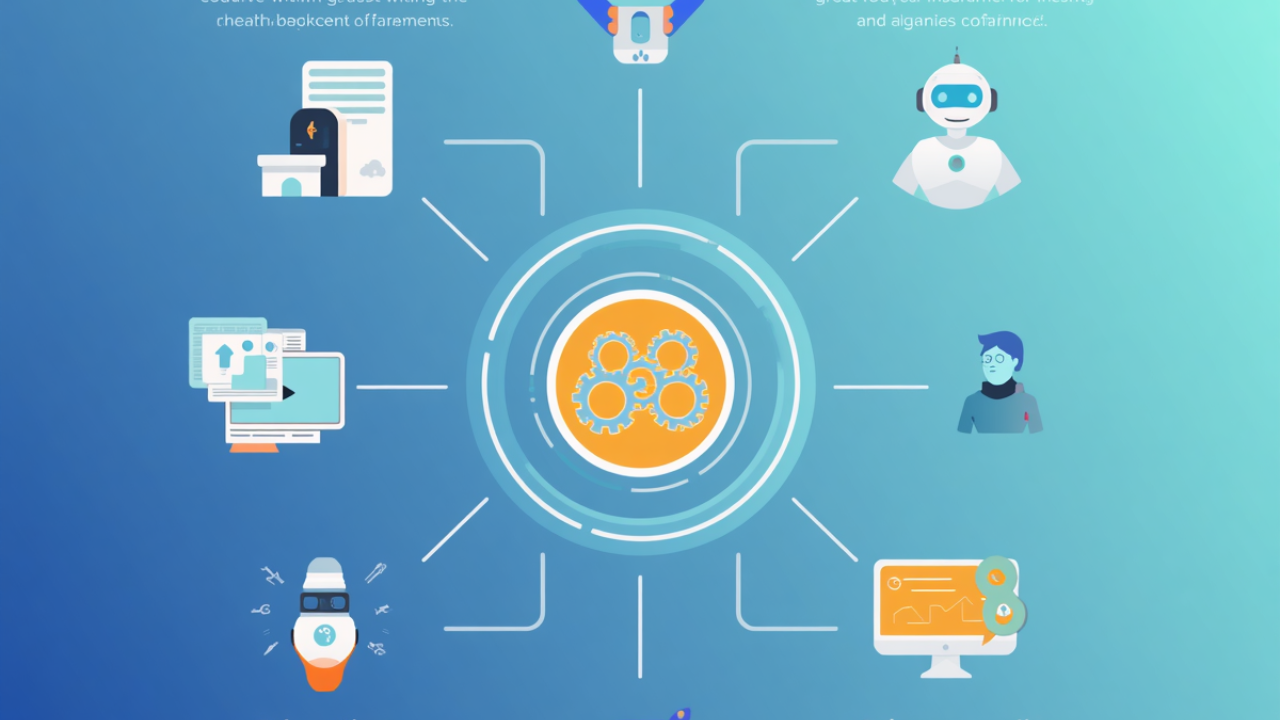
Blackbox AI takes a fundamentally different approach by using a multi-model orchestration system. Instead of relying on just one AI brain, it connects to several top-tier artificial intelligence networks at the same time.
When you submit a question or ask the tool to help you explain a complex technical problem, it sends your request to multiple advanced models simultaneously. A built-in filtering system then rapidly evaluates all the incoming answers, checks them for accuracy, and instantly returns the cleanest, most reliable explanation to your screen. This unique setup ensures that you are always getting the best possible answer without having to cross-reference multiple chatbots yourself.
Unique Features Built for Maximum Productivity
Beyond standard text suggestions, the platform also offers specialized features. In particular, these features are designed to solve major daily challenges for content creators, designers, and web builders.
Code Extraction from Online Videos
Have you ever watched a long YouTube tutorial just to find a small piece of information hidden in a thirty-minute video? In fact, this is a common problem for many users. However, one of the most innovative features of this tool is its ability to parse video frames. As a result, it can scan a video tutorial, recognize text and on-screen structures, and instantly extract them into clean, editable text. Ultimately, this single feature saves users hours of manual pausing and typing.
Context-Aware Project Analysis
Standard AI text tools only know what you paste directly into their chat boxes. However, this platform can analyze your entire project folder and website files automatically. If you ask it to help you add a new page or update a contact form, it checks your existing designs and configurations first. As a result, the suggestions it provides fit perfectly into your current project without breaking your previous work.
READ MORE: Machine Learning for Beginners: A Practical Guide (2026)

Creative Use Cases (Without Being a Professional Programmer)
You do not need to be an expert software engineer to get immense value from this tool. In fact, many everyday professionals already use it to speed up their work. So, here are a few practical ways they use it effectively:
- Website Customization for Small Businesses: Many small business owners use platforms like WordPress or Shopify but struggle when they want to make custom layout tweaks. You can use the AI to generate simple styling instructions to change button colors, adjust fonts, or align images perfectly.
- Automating Repetitive Office Tasks: If you spend hours copying and pasting data across spreadsheet software like Excel or Google Sheets, you can ask the assistant to write simple automation formulas or scripts that clean up your data instantly.
- Learning Technical Terminology: Because the platform can explain technical jargon in simple, everyday language, many students use it as a personal, on-demand tutor to break down complex computer science concepts.
Deciphering the Cost: Subscription and Pricing Analysis
Before entering your payment details, it is essential to understand how the platform bills its services. The system uses a tier-based subscription model designed to fit different budgets and workloads.
| Plan Tier | Core Target Audience | Key Highlights |
| Free Tier | Hobbyists, students, and casual curious users | Offers unlimited basic chat requests and helpful text suggestions at absolutely no cost. |
| Pro Plan | Freelancers and regular digital creators | Unlocks access to advanced, high-speed AI models and offers voice-command features for smoother multitasking. |
| Pro Plus | Small business owners and fast-moving startups | Provides much higher usage limits and unlocks remote cloud systems to handle massive data analysis tasks. |
| Pro Max | Design agencies and larger corporate teams | Includes advanced design-to-text automation pipelines and centralized team billing features. |
read more : Future of AI: Most Important AI Trends 2026

A Quick Warning on the Credit System
When evaluating your potential return on investment, keep in mind that the platform uses a monthly credit allowance that resets at the start of every billing cycle. Unused high-speed credits do not roll over to the next month.
Therefore, if your workload is highly unpredictable, you might want to start with the Free Tier.
For individuals who plan to use the tool daily to build websites or automate office tasks, the paid plans offer significant value. In particular, they provide major time savings, especially for frequent users.
READ MORE :Free AI Logo Generator Tools | Best Logo Makers 2026
Frequently Asked Questions (FAQs) About Blackbox AI
1. What is Blackbox AI in simple terms?
It is an artificial intelligence companion designed to help people build websites, write applications, and understand technology.In other words, it acts like a highly knowledgeable assistant sitting right beside your workspace. As a result, it translates ordinary human text commands into structured computer instructions.
2. Is Blackbox AI completely free to use?
Yes, there is a very generous Free Tier available. In fact, it allows anyone to access basic conversational assistance, ask questions, and receive automated text suggestions at no cost. On the other hand, paid plans are optional. They are mainly designed for users who need faster performance or access to advanced tools.
3. Do I need to be an expert programmer to use it?
Not at all. In fact, it is specifically built to be beginner-friendly. Because you can converse with the AI using normal, everyday English, you do not need to memorize complicated computer code or programming rules to get helpful results.
4. How does the “Chairman LLM” feature work?
Instead of relying on just one AI network, the platform utilizes a unique “Chairman” orchestration system. When you ask a question, it sends your request to multiple top-tier AI networks simultaneously. It then automatically grades all the incoming answers and instantly delivers the most accurate, reliable solution to your screen.
5. Can Blackbox AI turn a simple picture into a website layout?
Yes, this is one of its most powerful features. If you upload a screenshot of a website design, a handwritten sketch, or a digital mockup, the AI will analyze the visual layout and automatically generate the structural text and styling files required to recreate it.
READ MORE : Text-to-Speech:A simple and Complete AI Voice Guide for 2026
6. Can it extract text and code directly from video tutorials?
Absolutely. In fact, if you are watching an online video tutorial, the platform can scan the video frames and read the characters appearing on the instructor’s screen. Then, it instantly extracts them as editable text. As a result, you do not need to pause the video or manually copy everything down.
7. What web development languages does it support?
It supports an incredibly wide range of options. This includes highly popular languages like Python, JavaScript, and HTML/CSS, as well as modern frameworks like React and Next.js. No matter what kind of digital project you are building, the platform likely has you covered.
8. How does Blackbox AI differ from basic tools like ChatGPT?
While standard chatbots are great for writing essays or answering broad general knowledge questions, Blackbox AI is explicitly tailored for digital creation. It integrates directly into over 35 different software development environments and reads your entire project folder to provide highly specific, contextual answers.
9. Will using this tool completely replace human software builders?
No, it will not. In fact, creating modern digital systems still requires human creativity, problem-solving, security planning, and user experience design. Therefore, the platform is designed to act as a powerful assistant that speeds up the building process, rather than replacing human logic.
10. Does the platform keep my private files safe?
READ MORE: Artificial Intelligence New Technology: Latest AI News & Trends

Yes, data safety is handled very seriously. If you upgrade to any of the paid subscription tiers, the platform provides end-to-end encryption for your conversations. It also includes an official setting that completely stops the AI from using your private projects to train its public models.
11. Can it help me find errors in my existing files?
Yes, it is excellent for troubleshooting. In fact, if your website or application is glitching, you can simply paste the error message or highlight the broken section in the chat panel. Then, the assistant quickly pinpoints where the logical mistake is. As a result, it also explains how to fix it in a clear and fast way.
12. Where exactly can I run Blackbox AI?
The platform is incredibly versatile. You can access it through a standard web browser, run it via mobile applications, use it directly inside your computer’s terminal command line, or install it as an extension inside popular editing software like Visual Studio Code.
13. What happens if I do not use all my monthly paid credits?
If you choose a paid subscription plan, your account is allocated a specific bucket of high-speed processing credits every month. It is important to note that unused credits do not roll over to the next month; they reset completely when your new billing cycle starts.
14. Can it look up real-time information from the live internet?
Yes, it can. The assistant has built-in web search capabilities that activate automatically whenever you ask about current events, updated software documentation, or shifting industry standards, ensuring your answers are never outdated.
15. Is Blackbox AI the right tool for my business?
If your daily workflow involves managing a website, adjusting digital layouts, or automating repetitive spreadsheet data, this platform will save you a massive amount of time. It acts as an affordable, accessible bridge to understanding the technical side of your business operations.ts
Final thought:
The platform has grown into far more than a simple text-generation box. By bridging the gap between natural human language and complex technical systems, it empowers regular people to build, create, and automate digital projects with ease.
Whether your goal is to pull clean text straight out of a video tutorial, design a custom website from a basic screenshot, or simply learn how software works, this tool provides an incredibly approachable foundation for beginners and experts alike.
READ MORE: Newest AI Technology Trends in 2026 You Should Know
Call To Action
Need high-quality backlink services and SEO content that improves rankings and attracts real traffic?
I provide:
- Professional backlink services
- SEO content writing
- On-page SEO optimization
- Human-style, reader-friendly content
- Keyword-focused articles
- Engaging blog and website content
Let’s grow your website with content that ranks and converts.
Email: http.areesha@gmail.com








Post Comment
You must be logged in to post a comment.