Tag: Best Of

  • Best Video Doorbells in 2026: 5 Picks Compared

    Best Video Doorbells in 2026: 5 Picks Compared

    Last updated: November 6, 2026. Prices and plans change often, so confirm the current price on the vendor’s site before you buy.

    The best video doorbell for most homes with existing doorbell wiring is the Google Nest Doorbell (wired, 3rd gen). It records sharp 2K HDR video, comes with free person, package, animal and vehicle alerts, and keeps a few hours of event clips without a subscription. If you want to avoid monthly fees entirely, the eufy Video Doorbell E340 stores video on the device, and the Aqara Doorbell Camera Hub G410 is the strongest pick for Apple Home and Matter users.

    Below we compare five of the best video doorbells you can buy in the US right now, based on published prices, subscription plans, storage options and smart home support.
    Minsa AI card: best video doorbell quick picks

    Best video doorbells: quick picks

    Video doorbellBest forList pricePowerSubscription needed to save video?
    Google Nest Doorbell (wired, 3rd gen)Best overall for Google Home$199.99WiredNo for 6 hours of event previews; yes for longer history
    Ring Battery Doorbell 4K ProBest battery doorbell and for Alexa homes$249.99Battery or wiredYes
    eufy Video Doorbell E340Best video doorbell without a subscription$169.99Battery or wiredNo (8 GB on-device storage)
    Aqara Doorbell Camera Hub G410Best for Apple Home and MatterAbout $150Battery or wiredNo (microSD card)
    Tapo D225Best budget pickLaunched at $99.99Battery or wiredNo (microSD card)
    Minsa AI card: how we chose the best video doorbells

    How we chose

    We compared current doorbells from major brands using their official product pages, published subscription plans and recent US retailer listings. We did not test these doorbells hands-on. We looked at what a buyer pays up front, what they pay each month to keep recordings, where video is stored, how the doorbell is powered, and which smart home platforms it works with.

    We left out models whose current price or specs we could not confirm. You can read more about our process in our editorial policy.
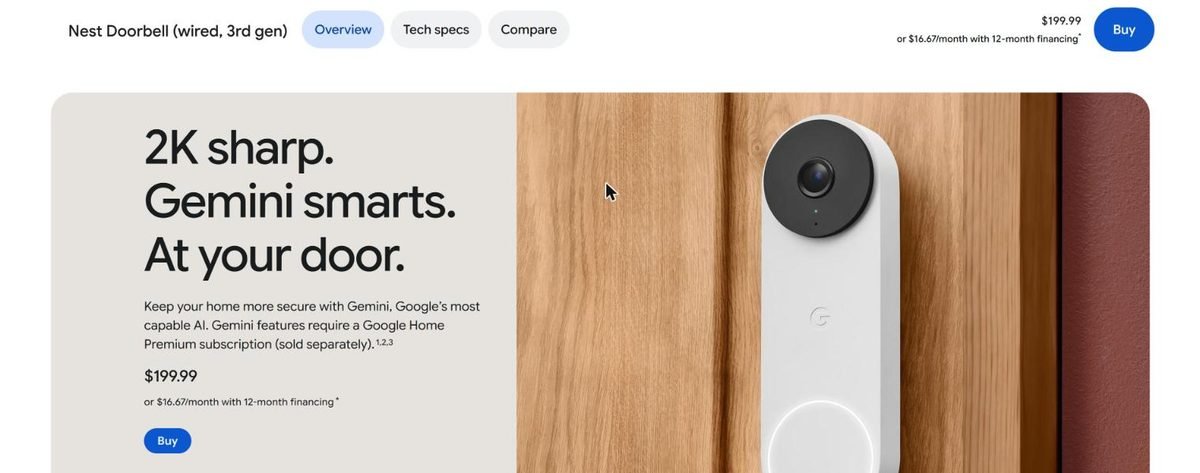
    Google Nest Doorbell (wired, 3rd gen) official product page, our best video doorbell for Google Home

    1. Google Nest Doorbell (wired, 3rd gen): best video doorbell for Google Home

    The Google Nest Doorbell (wired, 3rd gen) is Google’s current wired doorbell camera. It records 2K HDR video with a 166-degree diagonal field of view in a square 1:1 frame, so you see more of the porch floor where packages land. It runs in the Google Home app and needs a Google account.

    Out of the box it sends alerts for people, packages, animals and vehicles, and keeps 6 hours of event video previews (clips of up to 10 seconds) at no cost. For longer history you need a Google Home Premium plan. It has no local storage option.

    Pricing: $199.99. Google Home Premium Standard costs $10/month or $100/year for 30 days of event history. Advanced costs $20/month or $200/year for 60 days of event history, 10 days of 24/7 video, and Gemini features such as descriptive notifications, video search and daily summaries.

    Pros:

    • Sharp 2K HDR video with a tall, head-to-toe view
    • Free smart alerts and 6 hours of event previews without a plan
    • Advanced plan adds 24/7 recording, which most rivals charge extra for

    Cons:

    • Wired only: needs a 16–24 VAC doorbell transformer
    • No local storage, so history beyond 6 hours requires a subscription
    • Works only with the Google Home app, not the older Nest app

    Verdict: If your home already runs on Google Home and you have doorbell wiring, this is the most complete package. Budget for the Standard plan if you want more than a few hours of history.
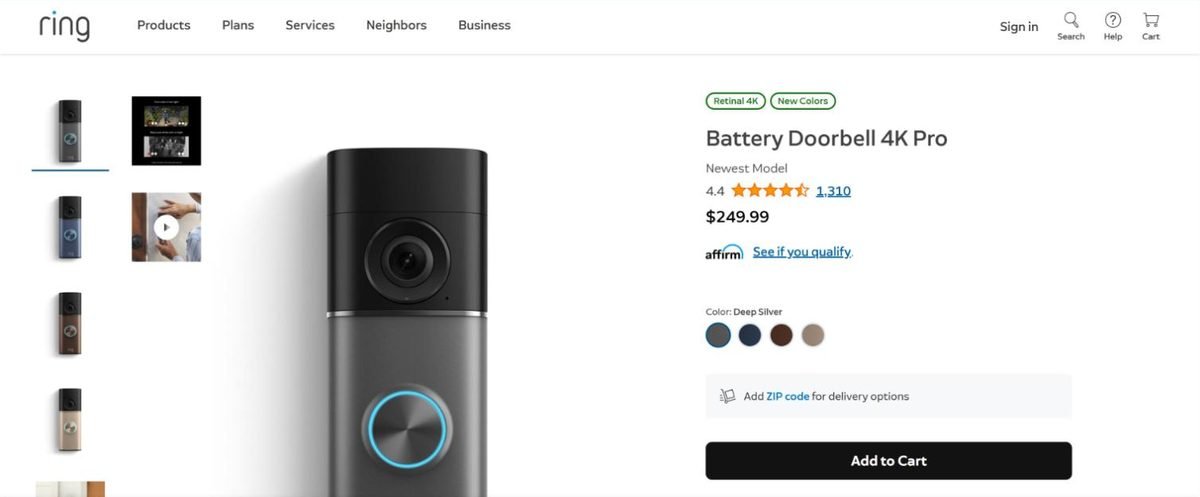
    Ring Battery Doorbell 4K Pro official product page, the best battery video doorbell in our guide

    2. Ring Battery Doorbell 4K Pro: best battery video doorbell

    The Ring Battery Doorbell 4K Pro is Ring’s newest battery model and the only 4K doorbell in this list. Ring calls its sensor “Retinal 4K” and adds up to 10x enhanced zoom, with a 140 x 140-degree head-to-toe view.

    It runs on a quick-release battery pack, so you can swap in a spare while the other charges, and it can also be hardwired to an existing 8–24 VAC doorbell. Radar-based 3D Motion Detection, Wi-Fi 6 and two-way talk round it out. It fits naturally into Alexa homes.

    Pricing: $249.99. To save and review recordings you need a Ring plan: Ring Solo is $4.99/month or $49.99/year for one device, Ring Multi is $9.99/month or $99.99/year for all devices at one location, and Ring Pro is $19.99/month or $199.99/year. All three keep up to 180 days of video history. Ring Pro adds Video Descriptions, Video Search and 24/7 professional monitoring.

    Pros:

    • Highest resolution in this comparison
    • Swappable battery means no wiring needed, with hardwiring as an option
    • Long 180-day video history on every paid plan

    Cons:

    • Most expensive doorbell here at list price
    • No local storage, so a subscription is effectively required
    • Best features (descriptions, search) sit on the $19.99/month tier

    Verdict: The best choice if you have no doorbell wiring and want top image quality, especially in an Alexa home. Factor in at least $49.99 a year for Ring Solo.
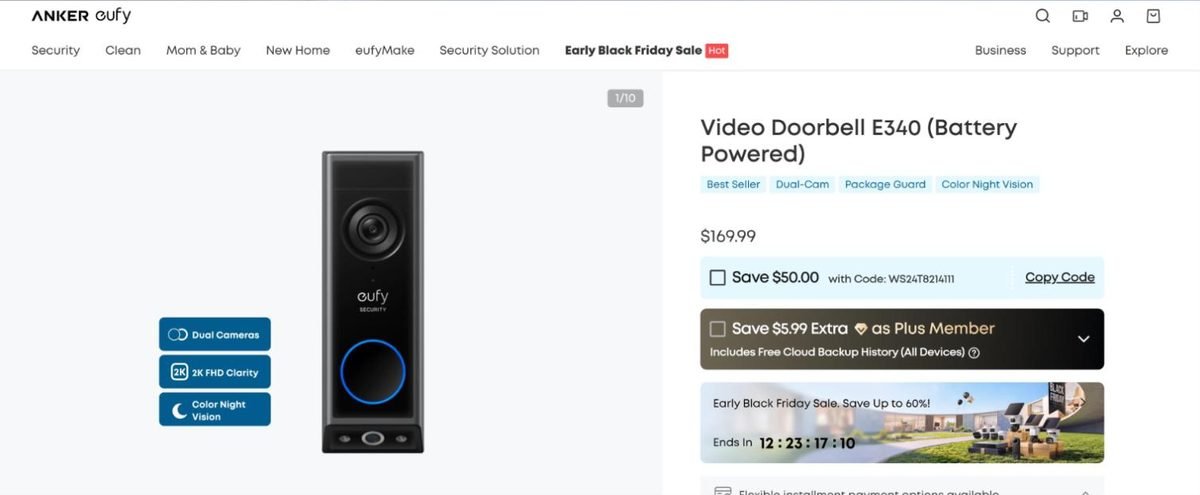
    eufy Video Doorbell E340 official product page, the best video doorbell without a subscription

    3. eufy Video Doorbell E340: best video doorbell without a subscription

    The eufy Video Doorbell E340 uses two cameras: a main 2K camera that faces visitors and a second camera that looks down at packages on the ground. It has color night vision and quick replies you can play to visitors when you can’t talk.

    The main reason to buy it is storage. Video saves to 8 GB of on-device storage, so there is no monthly fee to keep recordings. You can expand storage by pairing it with an eufy HomeBase S380. It runs on a removable battery or on wiring (8–24 V), and in wired mode the wiring keeps the installed battery topped up.

    Pricing: $169.99 list on eufy.com, and it is often discounted. A subscription is optional: eufy Plus membership costs $15/month and includes cloud backup for all devices.

    Pros:

    • No subscription needed to keep video
    • Second downward camera for watching packages
    • Battery or wired installation

    Cons:

    • 8 GB fills up fast without a HomeBase
    • Works with Alexa and Google Assistant, but not Apple Home
    • Video stays on the device, so a stolen doorbell takes its footage with it unless you use a HomeBase or cloud backup

    Verdict: The pick for buyers who want to pay once and be done. The package camera is a useful extra if deliveries are your main concern.
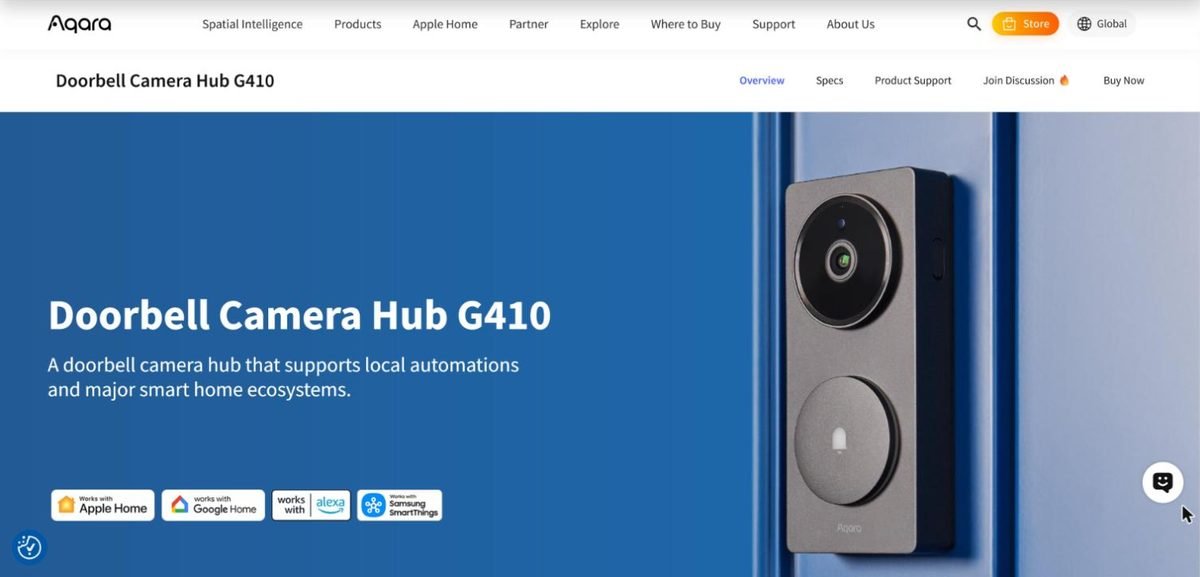
    Aqara Doorbell Camera Hub G410 official product page, the best video doorbell for Apple Home and Matter

    4. Aqara Doorbell Camera Hub G410: best video doorbell for Apple Home and Matter

    The Aqara Doorbell Camera Hub G410 works with more platforms than anything else here: Apple Home, Google Home, Alexa and SmartThings. It supports HomeKit Secure Video, so Apple users can store clips in iCloud, and its included chime doubles as a hub for Matter and Aqara Zigbee devices.

    The camera records 2K video with a 175-degree view in a 4:3 frame. A mmWave radar sensor helps cut false motion alerts, and face recognition runs on the device. Video can save to a microSD card of up to 512 GB (bought separately), with 24/7 recording available in wired mode. It also runs on batteries for up to five months, depending on use.

    Pricing: About $150 at US retailers (Best Buy lists the G410 at $149.99). Local microSD storage is free. Aqara’s HomeGuardian cloud plan is optional for encrypted cloud backup.

    Pros:

    • Works with Apple Home, Google Home, Alexa and SmartThings
    • Chime acts as a Matter and Zigbee hub
    • Free local storage, plus 24/7 recording when wired

    Cons:

    • HomeKit Secure Video is capped at 1200p, below the camera’s 2K
    • microSD card is an extra purchase
    • 24/7 recording is only available when wired

    Verdict: The clear choice for Apple Home households and anyone building around Matter. It is also good value given the built-in hub.
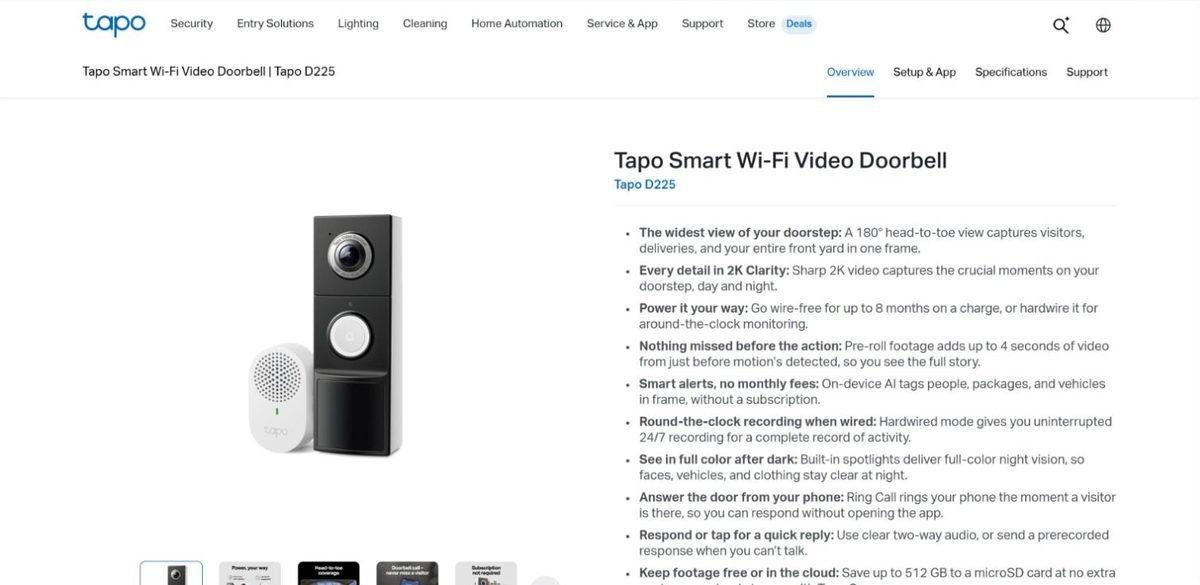
    Tapo D225 official product page, the best budget video doorbell

    5. Tapo D225: best budget video doorbell

    The Tapo D225 from TP-Link packs features you usually pay more for. It records 2K (4MP) video with a very wide view (170.6 degrees horizontal and 140.1 degrees vertical), full-color night vision, and up to 4 seconds of pre-roll footage from just before motion is detected.

    On-device AI tags people, packages and vehicles without a subscription. A 10,000 mAh battery lasts up to 8 months per charge according to Tapo, or you can hardwire it for 24/7 recording. Video saves to a microSD card of up to 512 GB, and a plug-in chime is included. It works with Alexa and Google Assistant.

    Pricing: The D225 launched at $99.99 and is often sold for less at US retailers. Tapo Care cloud storage is optional.

    Pros:

    • Lowest price in this comparison
    • Free smart alerts and local storage
    • 24/7 recording when hardwired, and a chime in the box

    Cons:

    • No Apple Home support
    • microSD card sold separately
    • Video runs at 15–20 fps, so fast motion can look less smooth

    Verdict: The best value if you want a capable doorbell with no monthly fees and you use Alexa or Google Assistant.
    Minsa AI card: best video doorbells compared side by side

    Video doorbells compared side by side

    FeatureNest (wired, 3rd gen)Ring 4K Proeufy E340Aqara G410Tapo D225
    List price$199.99$249.99$169.99About $150Launched at $99.99
    Resolution2K HDR4K2K + package camera2K2K (4MP)
    Field of view166° diagonal140° x 140°Not listed175°170.6° x 140.1°
    PowerWired onlyBattery or wiredBattery or wiredBattery or wiredBattery or wired
    Local storageNoneNone8 GB built inmicroSD up to 512 GBmicroSD up to 512 GB
    Cheapest plan for longer history$10/month$4.99/monthOptionalOptionalOptional
    Apple HomeNoNoNoYes (HomeKit Secure Video)No
    Alexa / GoogleGoogleAlexaBothBoth, plus SmartThingsBoth
    Minsa AI card: how to choose the best video doorbell

    How to choose a video doorbell

    Start with two questions: do you have working doorbell wiring, and which smart home platform do you use? Those two answers narrow the field quickly.

    • If you use Google Home and have wiring, get the Nest Doorbell (wired, 3rd gen).
    • If you have no wiring or use Alexa, the Ring Battery Doorbell 4K Pro is the strongest battery option.
    • If you never want a monthly bill, choose the eufy E340, Aqara G410 or Tapo D225, which all store video locally.
    • If you use Apple Home or Matter, the Aqara G410 is the only doorbell here with HomeKit Secure Video and a built-in hub.
    • If price matters most, the Tapo D225 covers the basics for the least money.
    • If you want 24/7 recording, look at a wired Aqara G410 or Tapo D225 (free with a microSD card) or Nest with the $20/month Advanced plan.

    Add the cost of a subscription over two or three years when comparing prices. A cheaper doorbell with a required plan can cost more over time than a pricier one with free local storage. If you are building out the rest of your smart home, our guide to the best smart plugs covers which plugs work with each platform.
    Minsa AI card: video doorbell FAQ

    Video doorbell FAQ

    What is the best doorbell camera in 2026?

    For most wired homes using Google Home, the Nest Doorbell (wired, 3rd gen) is the best doorbell camera. For battery installs the Ring Battery Doorbell 4K Pro leads, and for Apple Home the Aqara G410 is the best fit.

    Can I use a video doorbell without a subscription?

    Yes. The eufy E340 saves video to 8 GB of built-in storage, and the Aqara G410 and Tapo D225 record to a microSD card, so none of them need a plan to keep footage. Nest gives you 6 hours of event previews for free, while Ring needs a plan to save recordings.

    Which video doorbell works with Apple Home?

    Of the doorbells in this guide, only the Aqara Doorbell Camera Hub G410 works with Apple Home and supports HomeKit Secure Video. Note that HomeKit Secure Video records at up to 1200p on this model.

    Do I need doorbell wiring for a video doorbell?

    Not always. The Ring 4K Pro, eufy E340, Aqara G410 and Tapo D225 can all run on batteries. The Nest Doorbell (wired, 3rd gen) needs a 16–24 VAC doorbell transformer.

    How much does a Ring subscription cost?

    Ring Solo costs $4.99/month or $49.99/year for one device. Ring Multi costs $9.99/month or $99.99/year for every device at one address, and Ring Pro costs $19.99/month or $199.99/year.


    Product names and logos are trademarks of their respective owners. Minsa AI may earn a commission from some links in the future; this does not affect our picks. See our disclaimer for details.

  • Best Smart Plugs in 2026: 6 Picks Compared

    Best Smart Plugs in 2026: 6 Picks Compared

    Last updated: November 5, 2026. Prices and stock change often, so confirm the current price with the retailer before you buy.

    The best smart plugs for most homes in 2026 are the Kasa KP125M, because it adds Matter support and energy monitoring at a mainstream price, and the Tapo P125M if you just want a small, cheap plug that works with every major voice assistant. If you use Apple Home with a Thread network, Eve Energy is the strongest choice.

    Below we compare six smart plugs based on their official product pages and specs, so you can match one to your ecosystem, your outlets and your budget.

    Quick picks card for the best smart plugs in 2026

    Quick picks: the best smart plugs at a glance

    Smart plugBest forConnectionEnergy monitoring
    Kasa KP125MBest overallWi-Fi with MatterYes
    Tapo P125MBudget pickWi-Fi with MatterNo
    Meross MSS115Value two-packWi-Fi with MatterNot listed
    Eve EnergyApple Home and ThreadThread with MatterYes
    Amazon Smart PlugAlexa-only homesWi-FiNo
    Kasa EP40MOutdoor useWi-Fi with MatterNot listed
    How we chose the best smart plugs

    How we chose

    We compared each plug using the manufacturer’s official product page and published specs, checked on the date above. We looked at which smart home platforms it works with, whether it needs a hub, whether it tracks energy use, and what automation features the app offers. We did not run hands-on tests for this guide. You can read more in our editorial policy.

    We gave extra weight to Matter support. Matter is the shared smart home standard backed by Apple, Google, Amazon and Samsung, so a Matter plug is less likely to be stranded if you switch platforms later.

    Kasa KP125M smart plug with energy monitoring, one of the best smart plugs in 2026

    1. Kasa KP125M: best smart plug overall

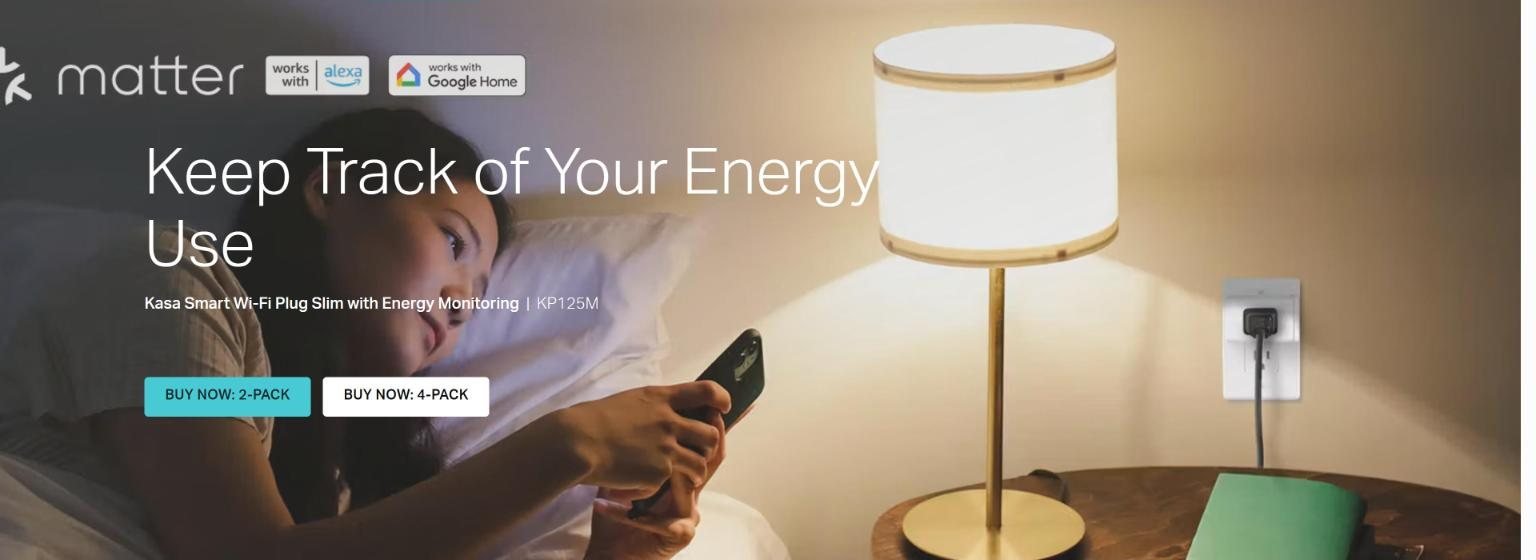
    The Kasa Smart Wi-Fi Plug Slim with Energy Monitoring (KP125M) from TP-Link is a slim Wi-Fi plug that is Matter certified. That means you can add it to Apple Home, Google Home or Alexa directly, and also run it from the Kasa app.

    Its standout feature is energy monitoring, which shows how much power a plugged-in device uses. The app also offers schedules and an Away Mode that switches lamps on and off at random to make the home look occupied.

    Pricing: Sold in 2-packs and 4-packs. TP-Link does not list a price on the product page, so check current retailer pricing.

    • Pros: Matter plus energy monitoring in one plug; no hub needed; works with Apple Home, Google Home and Alexa; slim design.
    • Cons: Sold only in multi-packs; needs a 2.4 GHz Wi-Fi network like most Wi-Fi plugs.

    Verdict: The safest all-round choice if you want a smart plug with energy monitoring that works with any major platform.

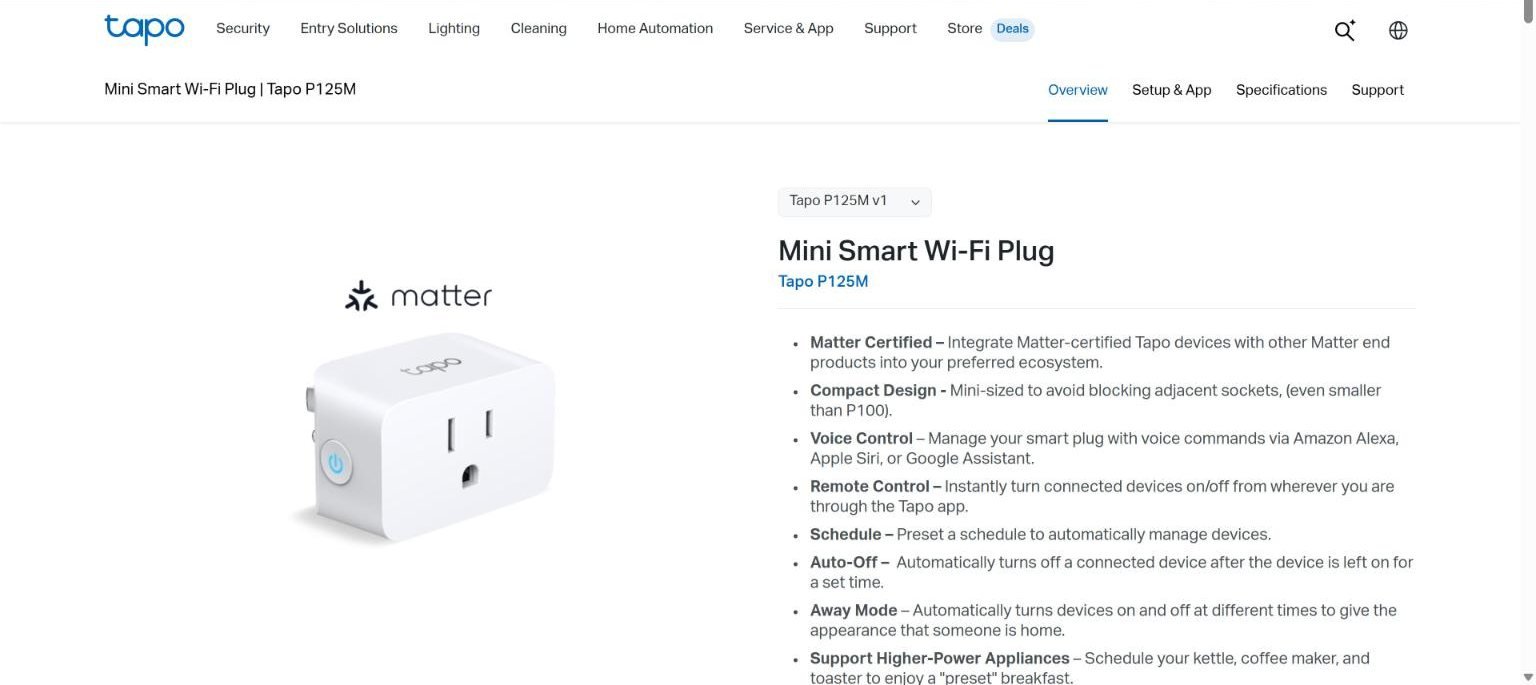
    Tapo P125M mini Matter smart plug, a budget pick among the best smart plugs

    2. Tapo P125M: best budget Matter smart plug

    The Tapo P125M is TP-Link’s compact Matter-certified mini plug. Tapo says it is smaller than its older P100, so it should leave the second outlet free.

    It supports voice control through Alexa, Siri and Google Assistant, and the Tapo app adds schedules, an auto-off timer and an Away Mode. Tapo also notes it supports higher-power appliances such as kettles and coffee makers.

    Pricing: Available as a 1-pack and a 3-pack. The product page does not list a price, so check current retailer pricing.

    • Pros: Small footprint; Matter certified; auto-off timer for appliances; sold as a single plug.
    • Cons: No energy monitoring on this model; Wi-Fi only.

    Verdict: Pick the Tapo P125M if you want basic on/off control and schedules without paying for features you won’t use.

    Meross MSS115 Matter smart plug two-pack from the official Meross store

    3. Meross MSS115: best value Matter smart plug two-pack

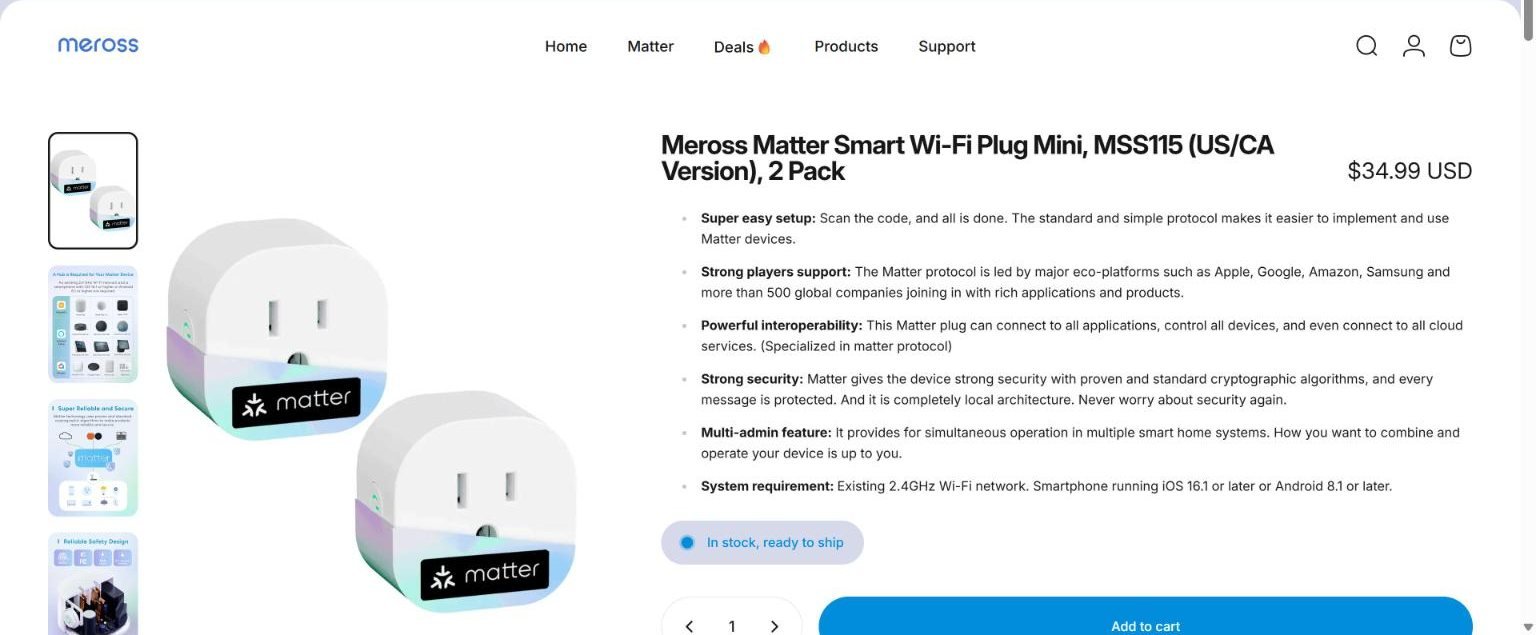
    The Meross Matter Smart Wi-Fi Plug Mini (MSS115) is a US/Canada Matter plug that you set up by scanning a code. Meross highlights local control and multi-admin support, which lets you run the same plug from more than one smart home app at once.

    It needs a 2.4 GHz Wi-Fi network and a phone running iOS 16.1 or later, or Android 8.1 or later.

    Pricing: $34.99 for a 2-pack on the official Meross store at the time of writing.

    • Pros: Clear published price; multi-admin for mixed Apple, Google and Alexa homes; local control.
    • Cons: Energy monitoring is not listed for this model; Wi-Fi only.

    Verdict: A good pick for households where different people use different smart home apps.

    Eve Energy, the best Thread smart plug for Apple Home

    4. Eve Energy: best Thread smart plug for Apple Home

    Eve Energy is a smart plug and power meter that connects over Thread and Matter rather than Wi-Fi. Thread is a low-power mesh network, so each Thread device can help extend the network for the others.

    Eve lists support for Apple Home, SmartThings, Alexa, Google Home, Home Assistant and Homey. It tracks power use and supports built-in schedules. The US model is rated for 15 A and 1,800 W.

    Pricing: We could not confirm a current US price on the official site, so check current retailer pricing.

    • Pros: Thread mesh keeps your Wi-Fi uncluttered; energy monitoring; broad platform support; strong fit for Apple Home.
    • Cons: Needs a hub that supports Thread and Matter, such as a compatible smart speaker or TV box; usually costs more than Wi-Fi plugs.

    Verdict: The best option if you already have a Thread border router and want a plug that also measures energy.

    Amazon Smart Plug for Alexa homes, from its official Amazon listing

    5. Amazon Smart Plug: best for Alexa-only homes

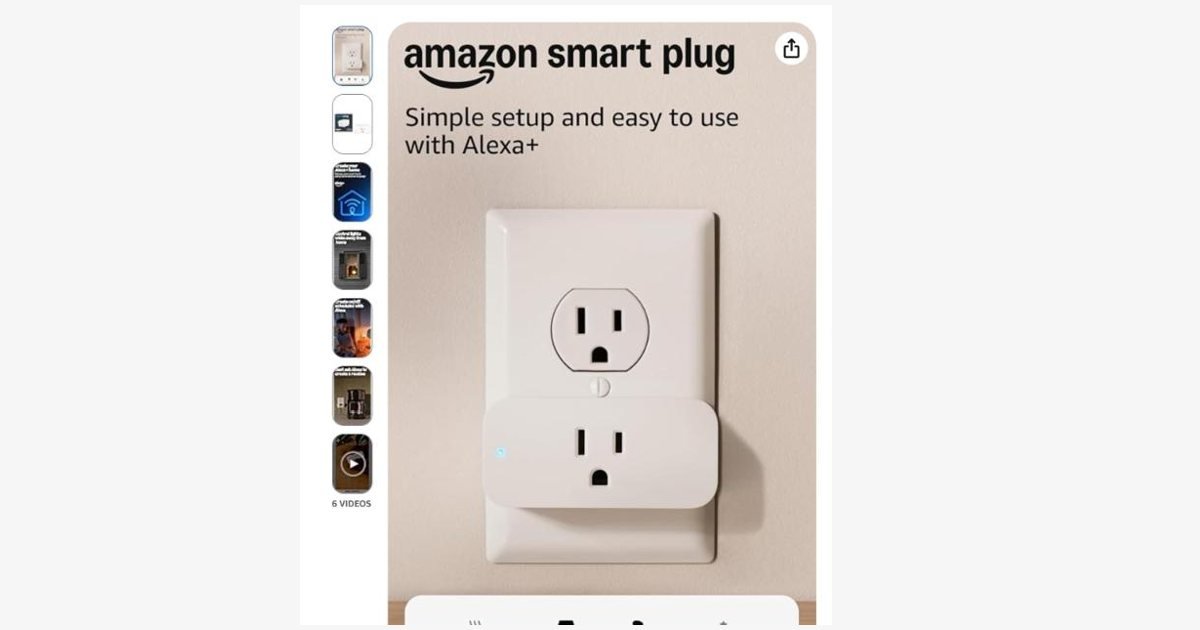
    The Amazon Smart Plug is built only for Alexa. You set it up in the Alexa app, and it works with Alexa routines, such as turning on a lamp at sunset.

    Amazon says no hub is needed, the plug reconnects to Alexa on its own after a power or Wi-Fi outage, and its compact shape keeps the second outlet free. For voice control you need an Alexa device.

    Pricing: Sold as a 1-pack and frequently discounted, so check the current price on Amazon.

    • Pros: Simple setup in the Alexa app; reconnects after outages; often on sale.
    • Cons: Works with Alexa only, not Apple Home or Google Home; no Matter or energy monitoring.

    Verdict: Fine if your home runs on Echo devices and you never plan to switch platforms. Otherwise, a Matter plug is the better buy.

    Kasa EP40M outdoor smart plug with two outlets and Matter

    6. Kasa EP40M: best outdoor smart plug

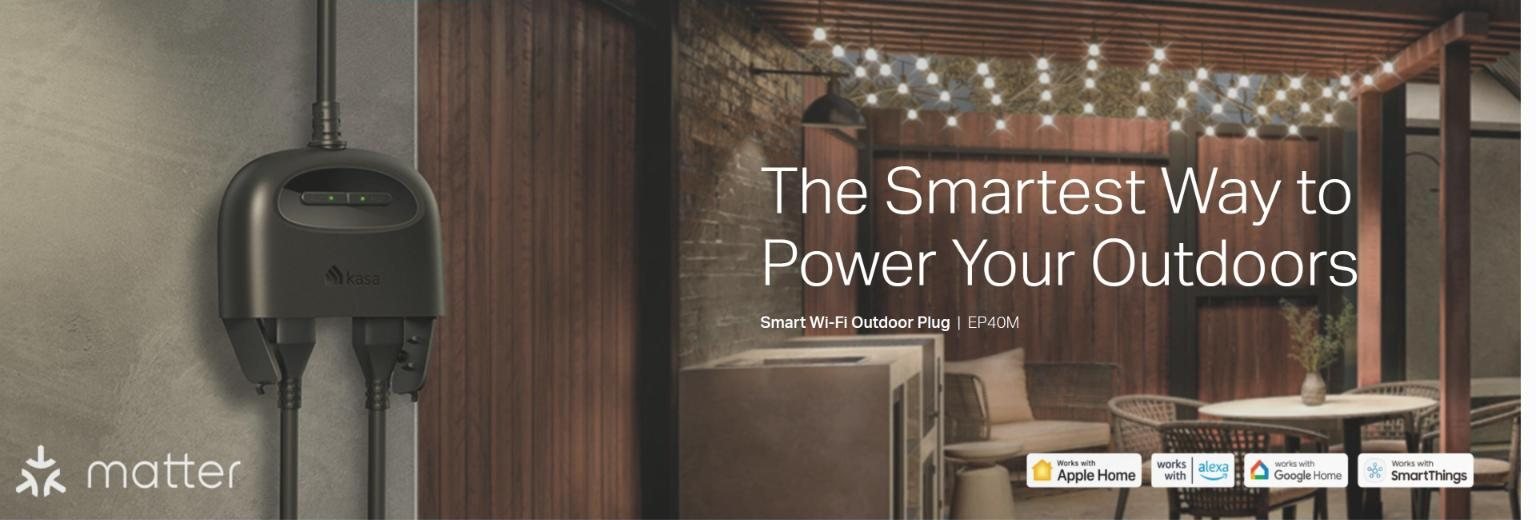
    The Kasa Smart Wi-Fi Outdoor Plug (EP40M) has two individually controlled outlets, each with its own schedule. It is Matter certified, and TP-Link lists it as working with Apple Home, Alexa, Google Home and SmartThings.

    It carries an IP64 rating for dust and water resistance and is rated for -4°F to 122°F. Total maximum load is 15 A (1,875 W for resistive loads). TP-Link advises mounting it at least 8 inches above the ground.

    Pricing: The product page does not list a price, so check current retailer pricing.

    • Pros: Two outlets with separate control; weather resistant; Matter certified; works with all four major platforms.
    • Cons: Energy monitoring is not listed; needs a strong 2.4 GHz Wi-Fi signal outdoors.

    Verdict: The pick for string lights, fountains and holiday displays.


    Side-by-side comparison of the best smart plugs

    Smart plugs compared side by side

    Smart plugMatterWorks withHub neededEnergy monitoringPack sizes
    Kasa KP125MYesApple Home, Google Home, AlexaNoYes2, 4
    Tapo P125MYesSiri, Google Assistant, AlexaNoNo1, 3
    Meross MSS115YesAny Matter platformMatter controllerNot listed2
    Eve EnergyYes (Thread)Apple Home, Google Home, Alexa, SmartThingsThread hubYes1
    Amazon Smart PlugNoAlexa onlyNoNo1
    Kasa EP40MYesApple Home, Google Home, Alexa, SmartThingsNoNot listed1
    How to choose a smart plug

    How to choose a smart plug

    Start with the smart home platform you already use, then decide whether you need energy data or outdoor protection.

    • If you want a smart plug with energy monitoring that works with any platform, choose the Kasa KP125M.
    • If you only need on/off control and schedules, choose the Tapo P125M.
    • If people in your home use different apps, choose the Meross MSS115 for multi-admin support.
    • If you use Apple Home and have a Thread border router, choose Eve Energy.
    • If everything in your home runs on Alexa, the Amazon Smart Plug is the simplest option.
    • If the plug will live outside, choose the Kasa EP40M.

    Whichever you pick, check the plug’s maximum load before connecting heaters or other high-draw appliances, and keep it on a 2.4 GHz Wi-Fi band if it is a Wi-Fi model.

    Smart plug FAQ

    FAQ

    What is a Matter smart plug?

    A Matter smart plug follows the shared Matter standard, so it can be added to Apple Home, Google Home, Alexa or SmartThings without a brand-specific bridge. Some Matter plugs connect over Wi-Fi and others over Thread.

    Do smart plugs need a hub?

    Most Wi-Fi smart plugs do not. Thread plugs such as Eve Energy need a Thread border router, which is built into some smart speakers, displays and TV boxes.

    Which smart plug has energy monitoring?

    On this list, the Kasa KP125M and Eve Energy both track power use. That helps you spot devices that draw power when idle.

    Can I use a smart plug outdoors?

    Only if it is rated for outdoor use. The Kasa EP40M has an IP64 rating. Indoor plugs should stay indoors.

    Wi-Fi or Thread: which smart plug connection is better?

    Wi-Fi plugs are easier to start with because they connect straight to your router. Thread plugs need a border router, but they don’t add load to your Wi-Fi and can respond faster on a busy network. If you plan to own many devices, Thread is worth considering.


    All product names and trademarks belong to their owners. Product images are screenshots of each manufacturer’s official product page or listing. Minsa AI has no affiliate relationship with the brands in this article. See our disclaimer for details.

  • 6 Best AI Coding Assistants in 2026, Compared

    6 Best AI Coding Assistants in 2026, Compared

    Last updated: November 4, 2026. Prices change often, so confirm the current plan details on each vendor’s site before you buy. best ai coding assistant

    The best AI coding assistant for most developers in 2026 is GitHub Copilot, because the $10 Pro plan works inside almost every editor and now lets you run Claude Code and Codex agents from the same subscription. If you want an agent that plans and edits across a whole repository from the terminal, Claude Code is the stronger pick. If you want a full AI-first editor, look at Cursor or Devin Desktop.

    This guide compares six AI coding tools on published plans, prices and features, so you can pick one without reading six pricing pages. A lot changed this year: Windsurf became Devin Desktop, Cursor moved its plans into a bundle with Grok and X, and Google replaced the consumer version of Gemini Code Assist with Antigravity.

    Quick picks

    ToolBest forFree planPaid plans from
    GitHub CopilotMost developers and teams already on GitHubYes, 2,000 completions a month$10/month
    Claude CodeRepo-wide changes driven from the terminalNo$17/month billed annually, or $20 monthly
    OpenAI CodexPeople already paying for ChatGPTYes, limited$8/month (Go)
    CursorAn AI-first editor with cloud agentsYes, limited$8/month (Grok models only)
    Devin Desktop (formerly Windsurf)An AI editor with many model choicesYes, light quota$20/month
    Google AntigravityA free agent-based editor and Google Cloud teamsYes, with weekly limitsThrough Google AI Pro or Ultra

    How we chose

    We compared tools that write, edit and review code inside an editor or terminal, and that a solo developer or small team can sign up for without a sales call. We based the comparison on each vendor’s published pricing pages and documentation as of the date above. We did not run our own benchmark tests, and we do not rank tools on claims we could not check.

    We looked at four things: what you get free, what the first paid plan costs, how usage limits work, and which editors each tool supports. You can read more about our process in our editorial policy.


    1. GitHub Copilot: best AI coding assistant for most developers

    GitHub Copilot is GitHub’s coding assistant. It gives inline suggestions as you type, a chat and agent mode in your editor, a cloud agent that can work on issues, and AI code review on pull requests. It runs in VS Code, Visual Studio, JetBrains IDEs, Xcode, Neovim, Eclipse, Zed and more.

    The big change in 2026 is billing. Paid plans now include a monthly pool of GitHub AI Credits. Agent mode, code review, the cloud agent and the Copilot CLI draw from that pool, while code completions on paid plans are unlimited.

    Pricing: Free ($0, 2,000 completions a month plus limited chat and agent use). Pro is $10 a month with $15 of monthly credits. Pro+ is $39 a month with $70 of credits and access to premium models. Max is $100 a month with $200 of credits. For companies, Business is $19 per user a month and Enterprise is $39 per user a month. Verified students can get a separate Student plan.

    Pros:

    • Works in more editors than any other tool on this list.
    • Pro includes access to third-party agents, including Claude Code and Codex, plus model selection.
    • Code review and the cloud agent connect directly to your GitHub issues and pull requests.

    Cons:

    • The credit system makes heavy agent use harder to predict than a flat plan.
    • The $15 credit pool on Pro can run out quickly if you rely on agents all day.

    Verdict: Start here if you want one low-cost subscription that works in the editor you already use. Move up to Pro+ only if you hit the credit limit every month.

    2. Claude Code: best for repo-wide changes

    Claude Code is Anthropic’s coding agent. Instead of suggesting one line at a time, you describe a task in your terminal and it reads your codebase, edits files, runs commands and reports back.

    Claude Code is not sold on its own for individuals. It comes with Anthropic’s paid Claude plans, and your coding sessions share one usage pool with Claude chat on web, desktop and mobile.

    Pricing: The Free Claude plan does not include Claude Code. Pro is $20 a month, or $17 a month on an annual plan ($200 billed up front). Max is $100 a month with five times Pro usage. Ultra is $200 a month with ten times Pro weekly usage and no five-hour limit for verified accounts. Max and Ultra also include monthly API credits for the Claude Platform.

    Pros:

    • Built for multi-file tasks such as refactors, migrations and test writing.
    • One subscription covers coding and everyday Claude use for writing and research.
    • Clear upgrade path if you need more usage.

    Cons:

    • No free tier for coding.
    • Usage limits reset every five hours and every week, so long sessions on Pro can hit a wall.
    • No tab-style autocomplete. Many developers pair it with a separate editor tool.

    Verdict: Pick Claude Code if you hand off whole tasks rather than want suggestions while you type. Pro is enough to try it, and Max suits people who code with it most of the day.

    3. OpenAI Codex: best for ChatGPT subscribers

    OpenAI Codex is OpenAI’s coding agent. It is included with ChatGPT plans and runs in the ChatGPT desktop app, on the web, in a CLI, in an IDE extension and on iOS. Paid plans add cloud features such as automatic code review and a Slack integration.

    Pricing: Free ($0, limited Codex access). Go is $8 a month for light tasks. Plus is $20 a month and unlocks Codex on the web, CLI, IDE extension and iOS, plus code review and Slack. Pro starts at $100 a month, with tiers at $100, $200 and $500. You can also use Codex with an API key and pay per token, which suits automation in CI.

    Pros:

    • No extra subscription if you already pay for ChatGPT Plus or Pro.
    • Many places to use it: desktop app, web, terminal, editor and phone.
    • You can buy ChatGPT credits to extend usage instead of jumping a full plan tier.

    Cons:

    • Free and Go are limited to lighter coding work.
    • OpenAI notes that API token prices do not map to subscription usage, so limits are hard to estimate in advance.

    Verdict: If you already pay for ChatGPT Plus, try Codex before you buy anything else. You may not need a second tool.

    4. Cursor: best AI-first code editor

    Cursor is a code editor built around AI, with an agent, chat, cloud agents and automations, and AI code reviews through its Bugbot feature. Its plans are now part of the X Subscription, which bundles Cursor with Grok and X perks.

    That bundle matters when you compare prices. The cheapest paid plan only includes Grok models. On the higher plans, models from other companies are available at API list price and billed separately from the monthly fee.

    Pricing: Free ($0, limited agent and chat requests). Plus is $8 a month (Grok models only). Premium is $30 a month with four times Plus usage, cloud agents, code hosting and Bugbot reviews. Super is $100 a month and Ultra is $200 a month for much higher usage. Teams starts at $30 per user a month with pooled usage.

    Pros:

    • The editor is designed around AI rather than adding it as a plugin.
    • Cloud agents and automations come with Premium and above.
    • A low $8 entry price if Grok models are enough for you.

    Cons:

    • Using Claude, GPT or Gemini models costs extra on top of the plan price.
    • The bundle includes X and Grok extras that many developers will not use.
    • You have to switch editors if you live in JetBrains or Visual Studio.

    Verdict: Cursor is a good fit if you want an AI-first editor and are comfortable with Grok as your main model. If you rely on Claude or GPT models, add up the API costs before you commit.

    5. Devin Desktop (formerly Windsurf): best for model choice

    Devin Desktop is the editor that used to be called Windsurf. Cognition, the company behind the Devin agent, renamed it this year, and windsurf.com now points to Devin’s pricing page. It offers tab completions, inline edits, an agent and access to Devin Cloud agents on paid plans.

    Pricing: Free ($0, a light agent quota with unlimited inline edits and Tab completions). Pro is $20 a month with higher quotas, models from OpenAI, Anthropic, Google, SpaceXAI and open-source labs, free use of Cognition’s SWE-2 model and access to cloud agents. Max is $200 a month for much higher quotas. Teams costs $80 a month for the team plan plus $40 a month per full developer seat, for up to 200 users.

    Pros:

    • Unlimited Tab completions and inline edits even on the free plan.
    • Pro includes frontier models from several labs in one plan.
    • Extra usage is available at API pricing when you run out.

    Cons:

    • The rebrand means older tutorials and reviews still use the Windsurf name, which can be confusing.
    • The Teams base fee makes it pricier than Copilot Business for small teams.

    Verdict: Devin Desktop Pro is the most straightforward way to get several frontier models in one AI editor for $20 a month.

    6. Google Antigravity: best free AI coding tool

    Google Antigravity is Google’s agent-based development platform, with an app, a CLI and IDE extensions. It replaced the consumer version of Gemini Code Assist, whose IDE extensions and Gemini CLI stopped serving individual, Google AI Pro and Google AI Ultra users on June 18, 2026.

    Pricing: The individual plan is $0 a month and includes a range of agent models, unlimited Tab completions, unlimited command requests and basic weekly rate limits. Higher limits and a flexible AI credit pool come with Google AI Pro and Google AI Ultra, whose prices vary by country. Businesses can buy through Google Cloud, with Gemini Enterprise Standard and Plus plans starting at $30 per seat a month or a pay-as-you-go option.

    Pros:

    • The most generous free plan here, with unlimited completions.
    • Paid access comes bundled with Google AI plans you may already have.
    • Google Cloud billing, spend caps and admin controls for companies.

    Cons:

    • Google has changed its coding products several times, so long-term plans are harder to predict.
    • Google’s pricing page does not list exact rate limits per plan.

    Verdict: Try Antigravity first if your budget is zero. If you used Gemini Code Assist for individuals, this is where Google wants you to move.


    AI coding tools compared side by side

    ToolFree planEntry paid planTop individual planTeam pricingWhere it runs
    GitHub Copilot2,000 completions/month, limited chat and agentPro $10/monthMax $100/monthBusiness $19/user, Enterprise $39/userMost major IDEs, GitHub, CLI
    Claude CodeNot includedPro $20/month ($17 annual)Ultra $200/monthNot compared hereTerminal
    OpenAI CodexLimitedGo $8/month, Plus $20/monthPro up to $500/monthVia ChatGPT Business and EnterpriseDesktop app, web, CLI, IDE, iOS
    CursorLimitedPlus $8/month (Grok only)Ultra $200/monthTeams from $30/userCursor editor, cloud
    Devin DesktopLight quota, unlimited TabPro $20/monthMax $200/month$80/month plus $40 per seatDevin Desktop editor, Devin Cloud
    Google AntigravityYes, basic weekly limitsVia Google AI ProVia Google AI UltraGemini Enterprise from $30/seatAntigravity app, CLI, IDE extensions

    How to choose the best AI for coding

    • If you want one cheap plan that works in any editor, choose GitHub Copilot Pro.
    • If you hand off whole tasks such as refactors or test suites, choose Claude Code.
    • If you already pay for ChatGPT Plus, try Codex before buying another tool.
    • If you want an AI-first editor and many models in one plan, choose Devin Desktop Pro.
    • If you want an AI-first editor and are happy with Grok models, Cursor Plus or Premium is good value.
    • If you cannot spend anything right now, start with Google Antigravity or the Copilot free plan.
    • If you manage a team on GitHub, Copilot Business at $19 per user is the simplest to roll out.

    Whichever you pick, start on the free plan or the cheapest tier for two weeks and watch how fast you use up your limits. Usage-based plans are easy to outgrow, and the right tier depends on how much you lean on agents rather than autocomplete. If your team is also trimming meeting overhead, our guide to the best AI meeting note takers compares tools that write up standups and planning calls.

    FAQ

    What is the best AI coding assistant for beginners?

    GitHub Copilot is the easiest place to start. It has a free plan, works in VS Code and other common editors, and verified students can apply for the Copilot Student plan. Google Antigravity is another free option with unlimited completions.

    Is there a free AI code generator?

    Yes. GitHub Copilot Free, Google Antigravity, Devin Desktop Free, Cursor Free and ChatGPT Free (with limited Codex access) all cost nothing. Free plans cap agent and chat use, so expect to upgrade if you code with AI every day.

    Is Claude Code better than GitHub Copilot?

    They do different jobs. Copilot is strongest at suggestions inside your editor and GitHub workflows, while Claude Code is built to carry out multi-step tasks across a repository. Copilot Pro now lets you use Claude Code as a third-party agent, so you can try both from one plan.

    What happened to Windsurf and Gemini Code Assist?

    Windsurf was renamed Devin Desktop by Cognition. Google stopped serving the consumer tiers of Gemini Code Assist and Gemini CLI on June 18, 2026, and points those users to Google Antigravity. Gemini Code Assist Standard and Enterprise follow a separate schedule.

    How much should a small team pay for AI coding tools?

    Based on published plans, expect roughly $19 to $40 per developer a month. Copilot Business is $19 per user, Cursor Teams starts at $30 per user, and Devin Desktop Teams is $40 per seat plus an $80 monthly team fee.


    Product names and trademarks belong to their owners. Minsa AI is independent and this article contains no affiliate links. See our disclaimer for details.
  • 5 Best AI Meeting Note Takers in 2026, Compared

    5 Best AI Meeting Note Takers in 2026, Compared

    Last updated: November 3, 2026. Prices are per user and were checked against each vendor’s published plans in October and November 2026. AI tools change their pricing often, so confirm on the vendor’s site before you buy.

    The best AI meeting note taker for most people in 2026 is Fathom, because its free plan records and transcribes unlimited calls. If you want notes without a bot joining your meetings, pick Granola. For teams that need CRM sync and searchable call history across many people, Fireflies.ai is the stronger buy.

    Below is how the top five compare on price, free plan limits and the jobs each one does best. Each tool also has trade-offs that rarely make it onto its homepage, and we cover those too.

    Quick picks

    ToolBest forFree planPaid from (annual billing)
    FathomBest free optionUnlimited recordings and transcripts$16/month (Premium)
    GranolaNo meeting botYes, with limited note history$14/user/month (Business, monthly only)
    Fireflies.aiTeams and CRM workflowsYes, limited$10/user/month (Pro)
    Otter.aiLive transcription on a budget300 minutes a month$8.33/month (Pro)
    Read AIMeeting analytics and cross-app search5 meetings a month$15/user/month (Pro)

    How we chose

    We looked at the tools professionals actually shortlist and compared them on five things: what the free plan really includes, the price of the first paid tier, which meeting platforms each one supports, how notes reach the rest of your stack (CRM, Slack, Notion), and the limits that only show up after a few weeks of use. You can read more about our process in our Editorial Policy.

    1. Fathom: best free AI meeting note taker

    Fathom records, transcribes and summarizes calls on Zoom, Google Meet and Microsoft Teams. Its headline feature is the free plan: recording, transcription and storage are unlimited, which almost no competitor matches.

    Pricing: Free; Premium $20/month ($16/month billed annually); Team $19/user/month ($15 annually, two-seat minimum); Business $34/user/month ($25 annually, two-seat minimum); Enterprise on request.

    • Pros: unlimited free recordings and transcripts, quick summaries straight after the call, and team plans that cost less per seat than the solo Premium plan.
    • Cons: on the free plan, the advanced AI summaries only cover your first five calls each month, and AI action items and follow-up emails need a paid plan. CRM field sync is reserved for Business.

    Verdict: start here if you are an individual or a small team. If you hold more than five important calls a month, budget for Premium.

    2. Granola: best for notes without a meeting bot

    Granola works differently from the rest of this list. Instead of sending a bot into your call, it runs on your computer and listens to your system audio. You jot rough notes during the meeting, and Granola fills in the detail from the transcript afterwards. It is available on Mac, Windows and mobile.

    Pricing: Basic is free; Business is $14/user/month; Enterprise is $35/user/month. There is no annual discount.

    • Pros: no bot means no awkward “who invited the recorder?” moments with clients, it works with any meeting app that plays through your computer, and the notes read like something a person wrote.
    • Cons: the free plan only keeps a short window of recent notes, and integrations need Business. Because it records from your device, it only captures meetings you personally attend. By default, anonymised data on Basic and Business plans may be used to improve Granola’s models, so switch that off in settings if it matters to you.

    Verdict: the best choice for consultants, founders and anyone in client-facing calls where a visible bot feels intrusive.

    3. Fireflies.ai: best for teams and CRM workflows

    Fireflies.ai is built for teams that want every call captured, searchable and pushed into the tools they already use. It joins meetings on the major video platforms, and its higher tiers add conversation intelligence and admin controls.

    Pricing: Free; Pro $18/user/month ($10 annually); Business $29/user/month ($19 annually); Enterprise $39/user/month billed annually.

    • Pros: a low annual entry price, a wide set of integrations, and team-wide search across all recorded calls.
    • Cons: some AI features draw on a separate AI credits allowance, so the plan price is not always the full cost. Monthly billing costs nearly double the annual rate on Pro, and HIPAA compliance is limited to Enterprise.

    Verdict: the right pick for sales, customer success and agency teams who need meeting data to flow into a CRM. Pay annually.

    4. Otter.ai: best for live transcription on a budget

    Otter.ai is one of the longest-running tools in the category. Its OtterPilot assistant joins Zoom, Google Meet and Teams calls from your calendar and produces a live transcript you can follow and highlight during the meeting, plus a summary afterwards.

    Pricing: Basic is free; Pro $16.99/month ($8.33 annually); Business $30/user/month ($19.99 annually); Enterprise on request.

    • Pros: the cheapest annual plan here, strong live transcription, and the ability to ask questions across your meeting history.
    • Cons: plans are capped by minutes. The free plan gives 300 minutes a month with a 30-minute limit per conversation, and Pro gives 1,200 minutes with a 90-minute limit. Long workshops or heavy meeting weeks can hit those caps.

    Verdict: great value for individuals with a predictable meeting load who want to read the transcript as the call happens.

    5. Read AI: best for meeting analytics and cross-app search

    Read AI goes beyond notes. Alongside summaries and transcripts, it reports on meeting engagement and lets you search across meetings, email and messages from one place, which suits managers who want a picture of how their team’s time is spent.

    Pricing: Free; Pro $19.75/user/month ($15 annually); Enterprise $29.75/user/month ($22.50 annually); Enterprise+ $39.75/user/month ($29.75 annually).

    • Pros: analytics that other note takers do not offer, broad language support, and search that reaches beyond meetings.
    • Cons: the free plan stops at five meetings a month, video playback sits on Enterprise rather than Pro, and Read AI’s terms state that it does not offer refunds, so test it thoroughly before paying.

    Verdict: worth it for team leads who want insight into meetings, not just a record of them. Others will get more value from Fathom or Fireflies.

    Side-by-side comparison

    FathomGranolaFireflies.aiOtter.aiRead AI
    Joins as a botYesNoYesYesYes
    Free plan limitAdvanced summaries on 5 calls/monthShort note historyLimited features300 min/month5 meetings/month
    Cheapest paid (annual)$16/month$14/user (monthly)$10/user$8.33/month$15/user
    Team plan (annual)$15/user, 2-seat min$14/user$19/user$19.99/user$22.50/user
    StandoutUnlimited free recordingBot-free captureIntegrations and team searchLive transcriptMeeting analytics

    How to choose the right one

    • You want to pay nothing: Fathom, as long as you can live with full AI summaries on only five calls a month.
    • Your clients dislike bots: Granola, since nothing visible joins the call.
    • Your team lives in a CRM: Fireflies.ai Business or Fathom Business for field-level sync.
    • You need the lowest yearly cost: Otter.ai Pro on annual billing, provided your meetings fit within the minute caps.
    • You manage a team: Read AI, for the analytics layer.

    One more thing to check before you buy anything: your existing software. Zoom, Google Meet and Microsoft Teams all offer AI note-taking within some of their paid plans. If your company already pays for one of those, try the built-in assistant first. A dedicated tool is worth the extra cost mainly when you use several meeting platforms or need deeper integrations.

    Frequently asked questions

    What is the best free AI meeting note taker?

    Fathom has the most generous free plan, with unlimited recording, transcription and storage. Its main limit is that advanced AI summaries only cover your first five calls each month.

    Is there an AI note taker that does not join the meeting?

    Yes. Granola records audio from your own computer, so no bot appears in the participant list. The trade-off is that it only captures meetings you attend yourself.

    Do I need to tell people I am recording a meeting?

    Consent rules for recording vary by country and, in the US, by state. Some places require everyone on the call to agree. The safest habit is to tell participants at the start of every call, whichever tool you use. This is general information, not legal advice.

    Which AI note taker is cheapest for a team?

    On annual billing, Granola Business ($14/user) and Fathom Team ($15/user) are the lowest team prices in this list. Fireflies.ai Pro is cheaper at $10/user, but its team collaboration features are fuller on Business.