Ultimate Guide to K-Means Clustering with Python Example
Introduction
“K-Means clustering explained with Python example is becoming popular as machine learning is growing very fast.”
Many people use it to find patterns in data.
One simple method is K-Means Clustering.
It is easy to learn.
It is also very useful.
In this article, you will learn what K-Means clustering is.
You will also see a simple Python example.
Read More: Ultimate Guide to K-Means Clustering Made Simple
What is K-Means Clustering?
K-Means clustering is a method used to group data.
It puts similar data points into the same group.
These groups are called clusters.
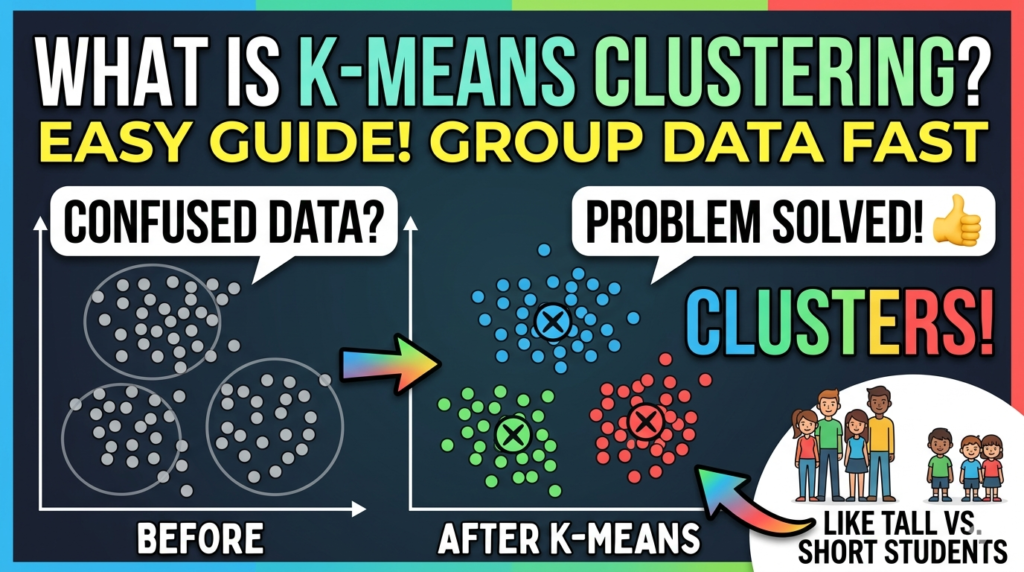
For example, imagine you have many students.
Some are tall.
Others are short.
Now you want to group them.
K-Means can help you do that easily.
How K-Means Clustering Work
K-Means works step by step.
Let’s understand it simply.
First, you choose the number of clusters (K).
Then, the algorithm picks random points as centers.
After that, it assigns data points to the nearest center.
Next, it updates the centers again.
This process repeats many times.
Finally, the clusters become stable.
Why Use K-Means Clustering?
There are many reasons to use it.
- K-Means Clustering is simple and fast
- It works well with large data
- It is easy to understand
However, it also has some limits.
For example, you must choose K first.
Read More: However, it also has some limits.
For example, you must choose K first.
Read More: Clustering in AI and Machine Learning: Everything You Need to Know
Real-Life Example of K-Means Clustering
K-Means is used in many areas.
For example:
- Customer grouping
- Image compression
- Market analysis
Companies use it to understand users better.

Python Example of K-Means Clustering
Now let’s see a simple Python example.
We will use a small dataset.
Step 1: Import Libraries K-Means Clustering
import numpy as np
import matplotlib.pyplot as plt
from sklearn.cluster import KMeans
Step 2: Create Data
# Sample data
X = np.array([[1, 2], [1, 4], [1, 0],
              [10, 2], [10, 4], [10, 0]])
Step 3: Apply K-Means
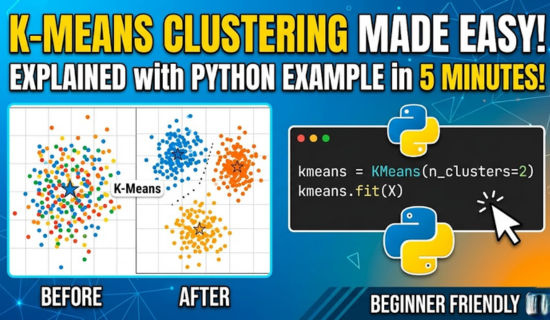
kmeans = KMeans(n_clusters=2)
kmeans.fit(X)
Step 4: Get Results
print(kmeans.labels_)
print(kmeans.cluster_centers_)
Step 5: Plot the Data
plt.scatter(X[:,0], X[:,1], c=kmeans.labels_)
plt.scatter(kmeans.cluster_centers_[:,0],
            kmeans.cluster_centers_[:,1],
            color='red')
plt.show()
Output Explanation
The data will be divided into two clusters.
Each cluster will have its own center.
Points close to each other will be grouped together.
Advantages of K-Means clustering
K-Means has many benefits.
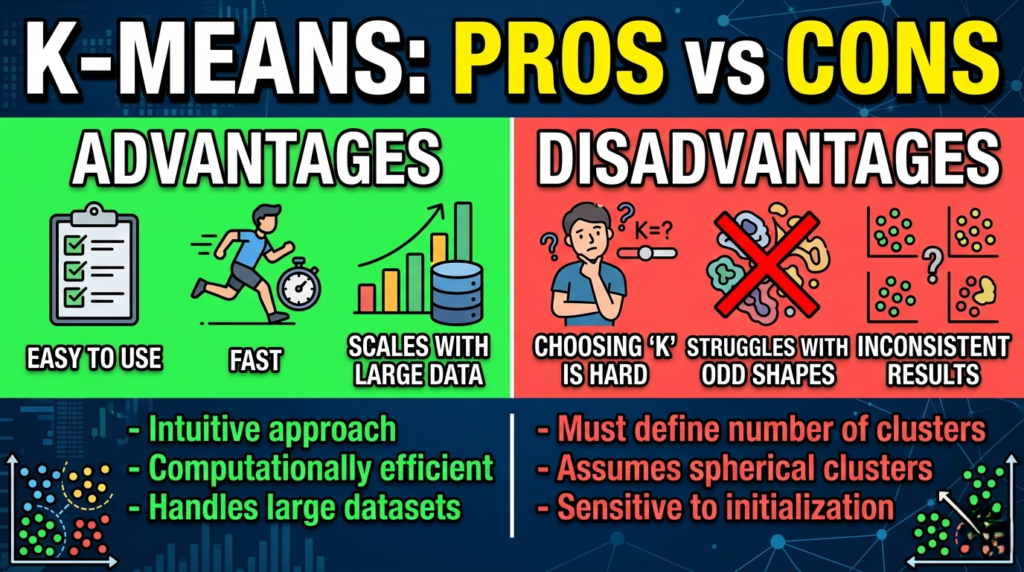
Firstly, it is easy to use.
Secondly, it is fast.
Moreover, it works well with large data.
Disadvantages of K-Means Clustering
However, there are some problems too.
- You must choose K value
- It does not work well with odd shapes
- Results can change each time
Tips for Better Results
You can improve results easily.
Firstly, try different K values.
Secondly, scale your data.
Also, run the model multiple times.
Conclusion
K-Means clustering is a simple method.
It helps group similar data points.
Moreover, it is easy to use with Python.
That is why beginners love it.
Now you can try it yourself.
Practice more to understand better.
Read More: Python Tutorial: A Simple and Beginner-Friendly Guide 2026
FAQs on K-Means Clustering
1. What is K-Means clustering?
It is a method to group similar data points into clusters. Basically, it finds patterns in data.
2. Is K-Means Clustering supervised or unsupervised?
It is unsupervised learning. Therefore, no labeled data is needed.
3. How do I choose K value?
You can use the elbow method. Also, trying different K values helps.
4. Can K-Means Clustering handle large datasets?
Yes, it works well with big data. Moreover, it runs fast.
5. Why use K-Means clustering?
It is simple, fast, and easy to understand. Additionally, it gives clear results.
6. What are clusters in K-Means?
Clusters are groups of similar data points. In other words, they show patterns.
7. How does K-Means Clustering assign points?
It assigns points to the nearest cluster center. Then, it updates the centers.
8. What is a centroid?
A centroid is the center of a cluster. Hence, it represents the group.
9. How many times does K-Means run?
It repeats until clusters do not change. Thus, the process stabilizes.
10. Can K-Means work with images?
Yes, it is used in image compression and grouping. For example, reducing colors in pictures.
11. Does K-Means need scaled data?
Scaling helps improve results. Otherwise, some features may dominate.
12. What is the elbow method?
It is a way to find the best K value. Specifically, it shows where adding more clusters is less helpful.
13. Can K-Means handle odd shapes?
No, it works best with round clusters. However, other methods can handle complex shapes.
14. How fast is K-Means?
It is very fast, even with large data. Therefore, it suits real-time applications.
15. Can results change each run?
Yes, results may differ because of random start points. Consequently, running multiple times is recommended.
16. Is K-Means good for beginners?
Yes, it is one of the easiest clustering methods. Similarly, Python makes it simpler.
17. Can I use Python for K-Means?
Yes, Python’s scikit-learn library makes it easy. Furthermore, plotting libraries help visualize results.
18. Can K-Means detect outliers?
Not directly, but outliers may form small clusters. In fact, they can highlight unusual data.
19. How do I visualize clusters?
You can use scatter plots and color each cluster. Moreover, adding centroids helps clarity.
20. What is the main limitation of K-Means?
Choosing K value and handling odd shapes are main limits. Nevertheless, it is still widely used.














Post Comment
You must be logged in to post a comment.