The Ultimate Guide to New Microsoft AI Updates
Introduction: AI at the Heart of Microsoft’s Strategy
In 2025, Microsoft continued its AI transformation at a historic pace, with sweeping updates across Windows 11, Microsoft 365 Copilot, AI agents, enterprise applications, and security platforms. From deep AI integration in everyday workflows to agentic automation systems — these Microsoft AI updates reflect a future where AI isn’t an add-on but a core driver of productivity and innovation across every layer of the digital ecosystem.
In this detailed blog, you’ll learn about:
- What new AI updates Microsoft launched in 2025
- How these updates transform productivity, collaboration, and creativity
- Important enterprise changes
- AI integration within Windows, Edge, and device ecosystems
- Long SEO-optimized FAQ section covering everything you need to know
Let’s dive in. Risk Management Using AI: Secure Systems, Smarter Controls, Better Outcomes
Section 1 — Microsoft 365 Copilot: AI Everywhere You Work
Microsoft’s flagship AI assistant Microsoft 365 Copilot saw some of the most impactful updates of 2025 — making AI a daily productivity partner across Word, Excel, PowerPoint, Outlook, Teams, and more.
Copilot as the New UI for AI
Microsoft repositioned Copilot from a sidebar helper to the primary interface for AI across productivity tools. Now users can access Copilot via a dedicated app or by pressing Win +C on Windows 11, instantly invoking AI assistance inside documents, presentations, emails, and files.
This update reflects Microsoft’s vision of AI not as a tool you reach for — but as the default experience for interacting with information and tasks.
AI Groups and Co-Creation
One of the most notable new features is AI Groups, which allows up to 32 users to participate in a shared Copilot session. Teams can brainstorm ideas, co-compose documents, co-author content, and assign tasks — all in real-time with AI support. Pure AI
This shift pushes Copilot beyond solo assistance into collaborative creativity and interactive workflows, optimized for remote and hybrid work environments.
Memory & Personalization: Smarter Assistance
Microsoft introduced a personalized memory layer for Copilot — enabling it to remember relevant user information, preferences, reminders, and ongoing tasks. Users can review, edit, or delete stored data at will, giving them control over what Copilot retains. Pure AI
This update boosts Copilot’s contextual understanding, transforming it from a reactive chatbot into a dynamic partner that adapts to your work style and history.
Section 2 — Copilot Across Devices and Platforms
Windows 11 AI Integration
Microsoft continued to embed AI deeply into Windows 11, making every modern PC a smarter computing environment. The latest Windows 11 Insider builds include new UI tweaks and deeper AI integration, emphasizing Copilot across workflows — especially with natural language and voice input features. Windows Central
Key Windows AI enhancements include:
- Copilot on the Taskbar with “Ask Copilot” — fast access to helpers anywhere on the OS. Petri IT Knowledgebase
- AI-Powered Search & Semantic Understanding
- Voice-Activated Assistance
- Cross-App Contextual Intelligence and Workflow Suggestions
Together, these features make Microsoft’s OS more intuitive and AI-assisted than ever before.
Copilot on Mobile and Cross-Device Integration
Copilot’s scope expanded beyond desktops. Through partnerships — such as integration with Motorola devices — Copilot reached millions more users, allowing them to ask, “Hey Copilot…” directly on their phones. Microsoft
Mobile Copilot includes:
- Vision and camera-based AI assistance
- Expanded file uploads (up to 50 MB)
- Context-aware summaries and suggestions Microsoft
This cross-platform integration makes Copilot a pervasive AI companion across screens.
Section 3 — Copilot Vision: AI That Sees
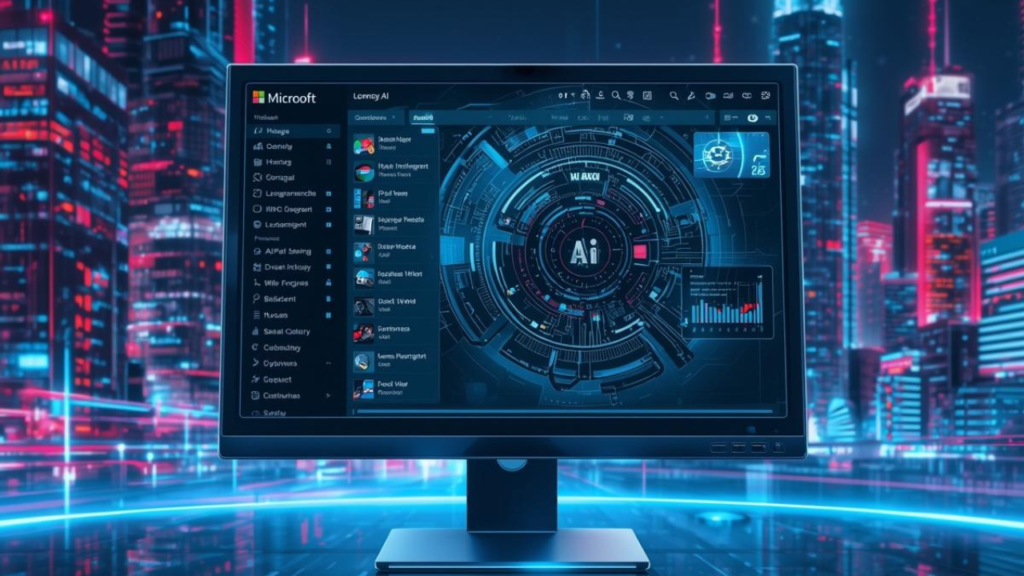
A major dimension of Microsoft’s AI evolution in 2025 was Copilot Vision — allowing Copilot to interpret visual content in real time on devices and in applications.
From analyzing live camera views on phones to interpreting image content within documents, Copilot Vision unlocks new use cases such as:
- Offering real-time suggestions based on visual context
- Assisting creative production
- Helping with tangible tasks like room organization or identifying objects
This broadens Copilot’s AI from text understanding to multimodal engagement, bringing AI that sees and interprets real environments. Free AI Logo Generator Tools | Best Logo Makers 2026
Section 4 — Edge Copilot Mode: AI-First Browsing
Microsoft Edge introduced a dedicated Copilot Mode, turning the browser into a proactive AI assistant that enhances:
- Web navigation
- Intelligent search
- Task anticipation
- Organization of open tabs into thematic flows
Users can interact naturally — with voice or typed prompts — while Edge suggests priorities, organizes workflows, and seamlessly combines chat, search, and navigation. Microsoft
This mode is part of Microsoft’s push to integrate AI deeply into every part of the computing stack — not just standalone assistants.
Section 5 — Agentic AI and Microsoft Ignite 2025
At Microsoft Ignite 2025, Microsoft doubled down on AI agents — autonomous helpers designed to execute tasks with minimal human direction. These updates reflect a shift toward agentic AI as part of everyday digital experiences. Microsoft Azure
Highlights include:
- Work IQ and AI agents for Microsoft 365 — Microsoft Copilot now understands organizational work patterns and suggests next best actions. Future
- Agent 365 — a unified framework for managing multiple AI agents. CRN
- Frontier Firm support, enabling enterprises to adopt AI agents with governance and compliance. UC Today
These innovations signal a future where AI doesn’t just assist — it acts.
Section 6 — Enterprise and Security AI Enhancements
Beyond productivity and personal assistance, Microsoft also fortified its enterprise and security landscape with AI:
- AI agents within Microsoft Defender and Security Copilot help automate threat detection and response.
- Businesses gain advanced AI governance tools and administrative controls for Copilot usage, costs, and policies. Future
These additions ensure that AI power is balanced with enterprise-grade protection, which is vital for organizations adopting AI at scale. Newest AI Technology Trends in 2026 You Should Know
Section 7 — Copilot Accessibility and Consumer Expansion
Microsoft also expanded Copilot access to more users:
- Copilot included in Microsoft 365 Personal and Family plans, bringing AI tools into everyday productivity apps like Word, Excel, PowerPoint, and Outlook for home users. Source
- Monthly AI credit allotments enable creative tasks like image generation and editing across apps.
This broad rollout further democratizes AI for consumers, not just enterprise subscribers.
Section 8 — What All These 2025 Microsoft AI Updates Mean
Taken together, the new Microsoft AI updates in 2025 show that:
- Microsoft Copilot is becoming an ever-present AI partner embedded across devices and experiences.
- AI agents will automate more complex tasks, not just answer queries.
- Multimodal AI (text, image, vision, voice) is mainstream within Microsoft tools.
- AI enhances productivity, creativity, collaboration, and security simultaneously.
This reflects Microsoft’s strategy to not only build powerful AI tools but to integrate AI into everything Microsoft users interact with daily.
FAQ: Everything You Need to Know
Q1: What are the biggest Microsoft AI updates in 2025?
Microsoft delivered major enhancements to Microsoft 365 Copilot, Windows 11 AI integration, Edge Copilot Mode, and enterprise-grade AI agents at Ignite 2025. Microsoft Azure+1
Q2: How does Copilot’s new AI Groups feature work?
AI Groups lets up to 32 users collaborate in a shared AI-assisted session where Copilot helps generate, organize, and summarize content in real time. Pure AI
Q3: Is Copilot available for personal Microsoft 365 subscriptions?
Yes — in 2025, Copilot was included in Microsoft 365 Personal and Family plans, expanding AI access to home users. Source
Q4: What does Copilot Vision do?
Copilot Vision lets the AI interpret visual content — for example, analyzing camera input or interpreting images within documents to provide insights and suggestions. It’s part of Microsoft’s multimodal AI strategy. Microsoft
Q5: Can Copilot run on mobile devices?
Absolutely — Copilot is available on select Android and iOS devices, including integration with Motorola handsets and mobile vision features. Microsoft
Q6: What are AI agents and why are they important?
AI agents go beyond reactive AI chat — they can execute tasks, automate workflows, and manage activities with minimal prompts. Microsoft showcased agent frameworks like Agent 365 at Ignite 2025. CRN
Q7: How does Copilot improve productivity in Microsoft 365 apps?
Copilot now helps with long-term memory, context-aware suggestions, summaries, email replies, spreadsheet analysis, presentation builds, and more. Pure AI
Q8: Does Copilot respect user privacy and enterprise controls?
Yes — Microsoft added admin tools for AI governance, usage monitoring, security policies, and compliance, essential for enterprise adoption. Future
Q9: What is Copilot Mode in Edge?
Edge Copilot Mode transforms the browser into an intelligent AI assistant that helps organize tabs, anticipate user needs, and provide task-centric guidance. Microsoft

🚀 Grow Your Rankings With Expert SEO Support
Want to increase traffic, improve rankings, and attract the right audience? I provide data-driven SEO and content solutions tailored to your goals.
My core skills include:
- 🔍 Keyword Research (high-intent, low-competition keywords)
- ⚙️ On-Page SEO Optimization (titles, headings, internal links, SEO structure)
- ✍️ SEO Content Writing (EEAT-focused, AEO-ready, human-friendly)
📩 Let’s build authority and visibility for your website.
Email: digitalminsa@gmail.com
Conclusion — The AI-Driven Future with Microsoft
The new Microsoft AI updates of 2025 mark a transformational year. With Copilot becoming a default AI layer across platforms, enterprise AI agents scaling automation, and AI embedded from Windows to mobile and Edge, Microsoft has cemented its role at the forefront of AI-enabled productivity and workflow innovation.





Post Comment
You must be logged in to post a comment.