
PyTorch Basics to Advanced: A Complete Learning Guide 2026
What is PyTorch?
PyTorch is a powerful open-source deep learning framework used for building machine learning and artificial intelligence models. Moreover, it is written in Python and is designed to be intuitive, flexible, and easy to debug.
Unlike many traditional frameworks, this deep learning library allows developers to build models dynamically. As a result, it feels more natural for Python developers and is widely used in research, education, and real-world AI applications.
Read More:Python Tutorial: A Simple and Beginner-Friendly Guide 2026
In simple words, this machine learning library helps computers learn from data using neural networks. Moreover, this ability allows developers to build intelligent applications that can adapt and improve over time.
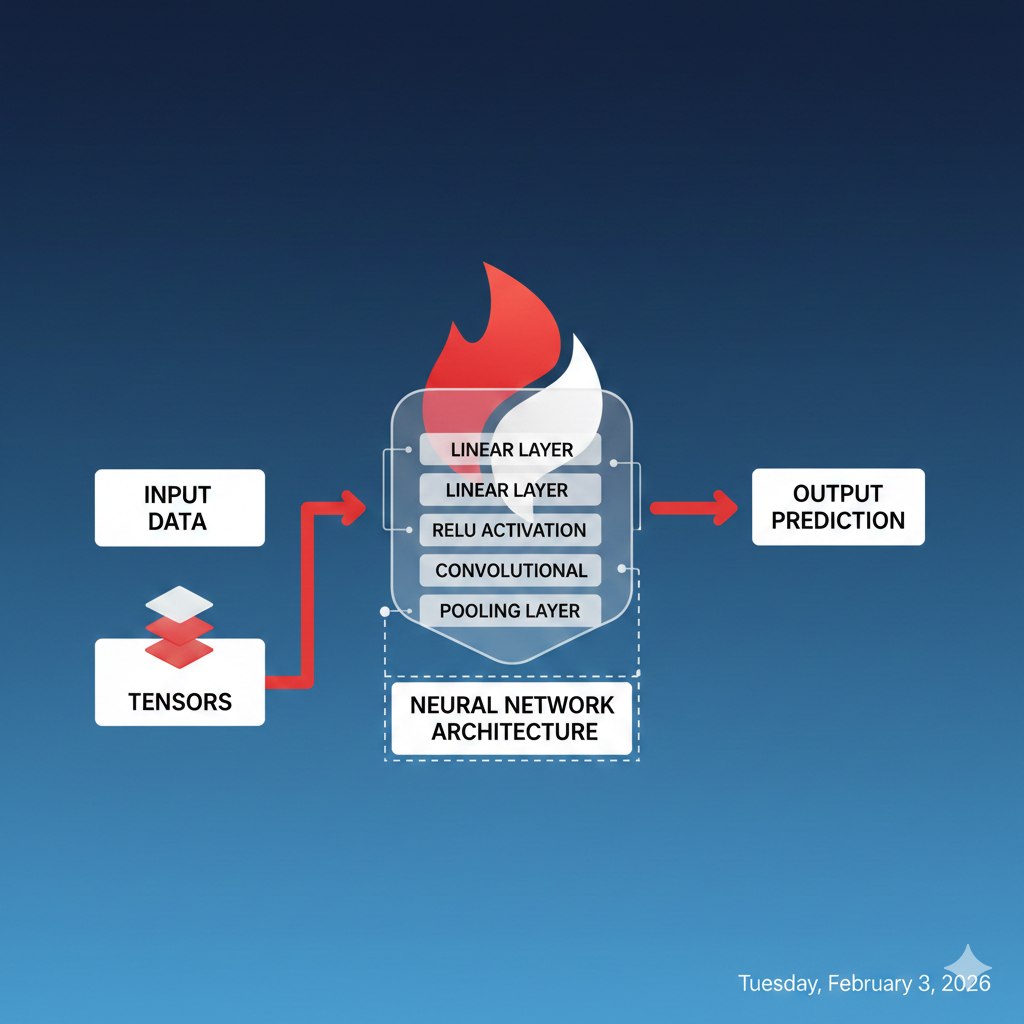
History of PyTorch
Data science framework was introduced in 2016 by Facebook AI Research (FAIR). In fact, it was built as a modern alternative to the older Torch framework, which, in contrast, was based on Lua.
Over time, this deep learning framework gained massive adoption because:
The platform simplified experimentation. Moreover, it supported dynamic graphs and, as a result, aligned well with Python’s ecosystem. Today, the library is maintained by the PyTorch Foundation and, importantly, is supported by a global developer community. Furthermore, this strong support ensures continuous improvements, resources, and guidance for learners and developers worldwide. Moreover, this strong support ensures continuous updates, resources, and guidance for learners and developers worldwide.
Read More: Discover the Best AI Models You Should Know in 2026
Key Features of PyTorch
This deep learning framework stands out because of several strong features:
- Dynamic Computation Graphs – models change during runtime
- Easy Debugging – Pythonic and readable syntax
- GPU Acceleration – seamless CUDA support
- Autograd Engine – automatic gradient calculation
- Rich Ecosystem – torchvision, torchaudio, torchtext
Therefore, it is ideal for both beginners and advanced researchers.
Read More: Discover the Best AI Models You Should Know in 2026
Neural Networks
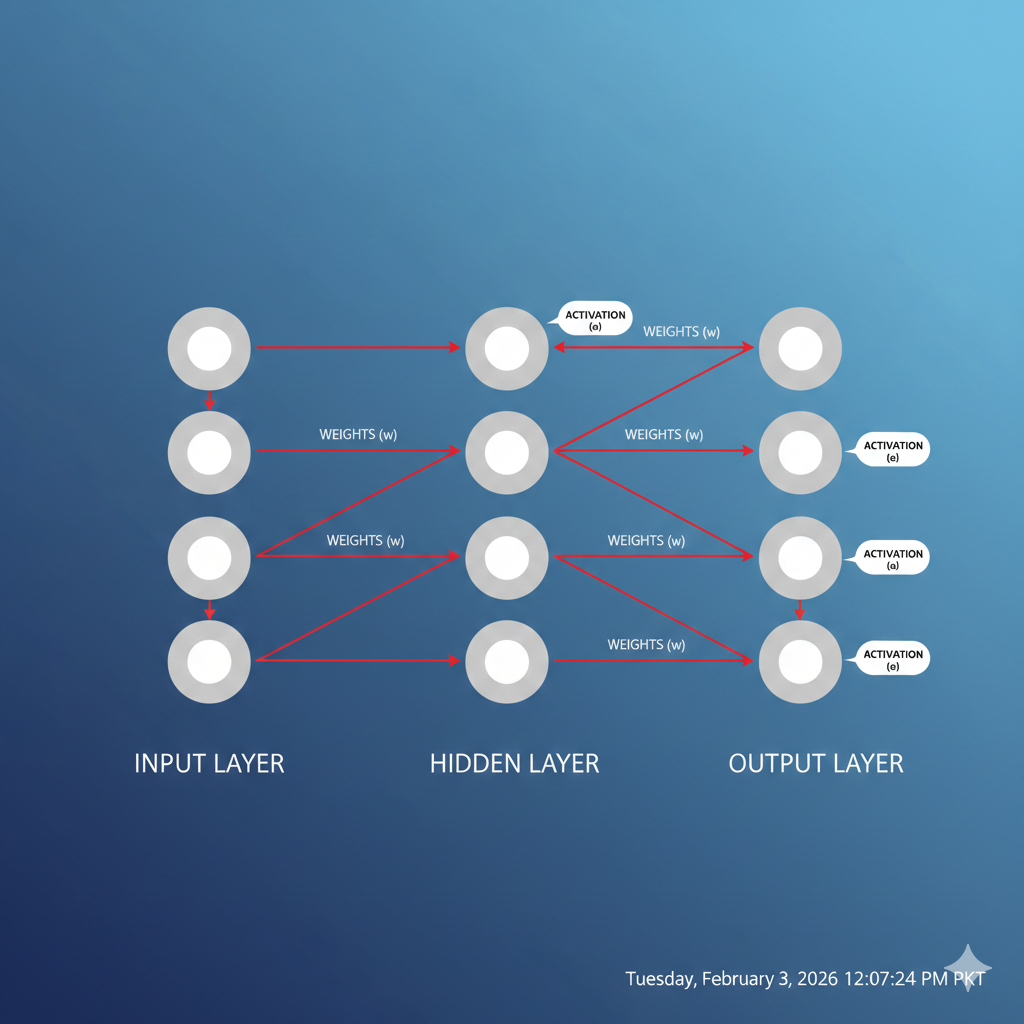
It provides the torch.nn module to build neural networks efficiently. Instead of manually coding every operation, developers can use prebuilt layers.
Common components include fully connected (Linear) layers, activation functions (ReLU, Sigmoid), and loss functions. Moreover, this modular approach makes neural network design faster and, consequently, cleaner.
Read More: Google Colab: The Ultimate Guide for Beginners (2026)
Example: Simple PyTorch Neural Network
import torch
import torch.nn as nn

class SimpleNN(nn.Module):
    def __init__(self):
        super(SimpleNN, self).__init__()
        self.fc1 = nn.Linear(4, 8)
        self.fc2 = nn.Linear(8, 1)

    def forward(self, x):
        x = torch.relu(self.fc1(x))
        return self.fc2(x)

model = SimpleNN()
print(model)
Output:
SimpleNN(
  (fc1): Linear(in_features=4, out_features=8, bias=True)
  (fc2): Linear(in_features=8, out_features=1, bias=True)
)
🔍 This output shows the architecture of the neural network clearly.
PyTorch Tensors
Importantly, tensors are the backbone of PyTorch. They are multi-dimensional arrays similar to NumPy arrays but faster when used with GPUs.
import torch
x = torch.tensor([1, 2, 3])
print(x)
Tensors can store data, model parameters, and gradients efficiently.
Read More: Discover People Fast with Powerful Face Recognition Tool
Operations on Tensors
This machine learning library supports a wide range of mathematical operations:
a = torch.tensor([2, 3])
b = torch.tensor([4, 5])

print(a + b)
print(a * b)
These operations are optimized for performance and scalability.
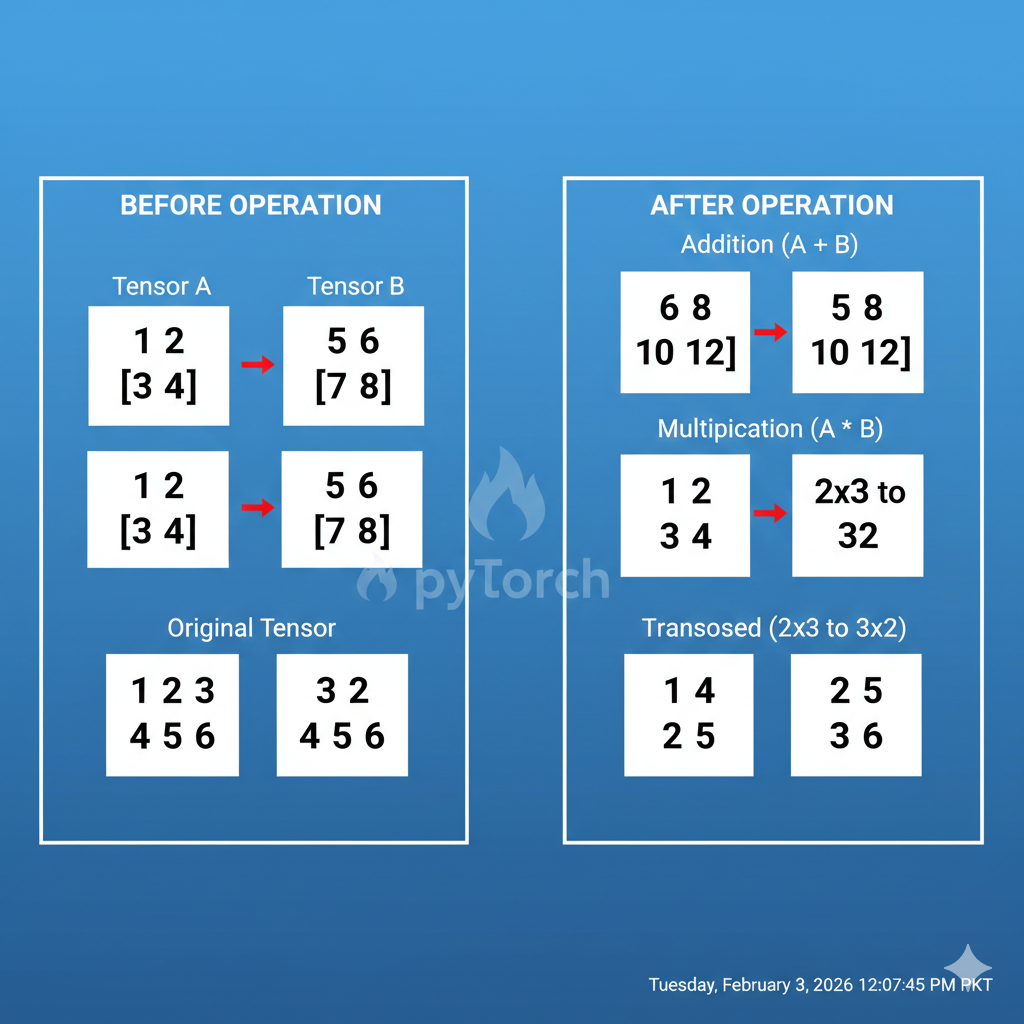
Reshaping and Transposing Tensors
Reshaping is essential when preparing data for neural networks.
x = torch.randn(2, 3)
reshaped = x.view(3, 2)
transposed = x.t()

print(reshaped)
print(transposed)
Output:
The tensor is reshaped into a new size, and additionally, its dimensions are swapped using transpose. 📌 As a result, this helps align data with model input requirements.
Read More: Text-to-Speech:A simple and Complete AI Voice Guide for 2026
Auto grad and Computational Graphs:
Auto Grad and Computational Graphs:
It is, in fact, PyTorch’s automatic differentiation system. Moreover, it tracks operations and computes gradients automatically, making the training process much easier.
x = torch.tensor(4.0, requires_grad=True)
y = x ** 2
y.backward()

print(x.grad)
Output:
tensor(8.)
🔍 Autograd removes the need for manual calculus during training.
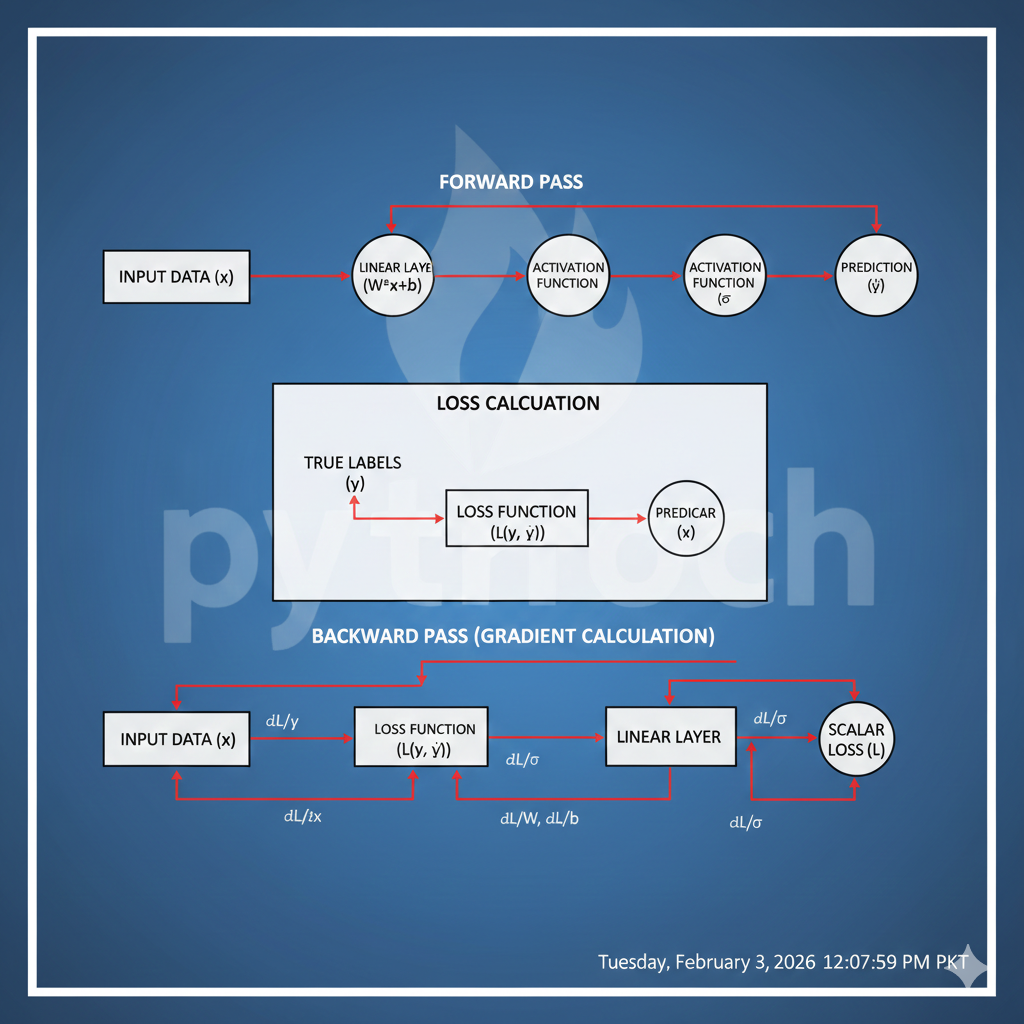
Building Neural Networks in PyTorch
Creating a neural network in PyTorch usually follows three steps:
- Define the model
- Choose loss function and optimizer
- Train the model
Moreover, this workflow keeps development organized and efficient.
Read More: Ultimate Guide to K-Means Clustering with Python Example
Define Loss Function and Optimizer
Loss functions evaluate prediction errors, while optimizers update weights.
loss_fn = nn.MSELoss()
optimizer = torch.optim.Adam(model.parameters(), lr=0.01)
Adam optimizer is widely used because it adapts learning rates automatically.
Train the Model
for epoch in range(5):
    optimizer.zero_grad()
    outputs = model(torch.randn(1, 4))
    loss = loss_fn(outputs, torch.tensor([[1.0]]))
    loss.backward()
    optimizer.step()
    print(loss.item())
Output:
0.82
0.61
0.45
0.32
0.20
📉 The decreasing loss shows that the model is learning effectively.
Read More: Free AI voice generator with multiple languages and accents
PyTorch vs TensorFlow
| Feature | PyTorch | TensorFlow |
|---|---|---|
| Ease of Use | Very Easy | Moderate |
| Graph Type | Dynamic | Static |
| Debugging | Simple | Complex |
| Research Use | Very High | Moderate |
| Production | Growing | Very Strong |
In contrast, this framework is preferred for research, while TensorFlow dominates large-scale deployment.
Applications of PyTorch
This deep learning library is used in many real-world applications, including:
- Computer Vision
- Natural Language Processing
- Speech Recognition
- Autonomous Driving
- Medical Diagnostics
- Recommendation Systems
As a result, learning this AI framework opens doors to modern AI careers.
Read More: Text-to-Speech:A simple and Complete AI Voice Guide for 2026
Conclusion
This platform is, in fact, one of the most flexible and powerful deep learning frameworks available today. Moreover, its dynamic nature, strong community, and ease of use make it an excellent choice for anyone entering the world of artificial intelligence.
Read More: Future of AI: Most Important AI Trends 2026
FAQS
1. What is PyTorch mainly used for?
This machine learning library is mainly used for building and training deep learning and neural network models, especially in research and real-world AI applications.
2. Is PyTorch suitable for beginners?
Yes, PyTorch is beginner-friendly because its syntax is simple and closely follows standard Python programming.
Read More: AI for Companies: The Ultimate 2026 Guide for Growth And Automation
3. Who developed PyTorch?
PyTorch was developed by Facebook AI Research (FAIR) and later supported by the PyTorch Foundation.
4. Is PyTorch free to use?
Yes, this open-source deep learning library is completely free, which means it is easily accessible for students, researchers, and companies alike. Moreover, this openness encourages community collaboration and innovation.
5. What programming language does PyTorch use?
This deep learning framework is primarily based on Python, although it also has a C++ backend for performance.
6. How is PyTorch different from NumPy?
Although the framework’s tensors are similar to NumPy arrays, this library supports GPU acceleration and automatic differentiation.
7. What are PyTorch tensors?
The library’s tensors are multi-dimensional data structures used to store data, model parameters, and gradients efficiently. Moreover, they enable fast mathematical operations on both CPUs and GPUs, significantly accelerating model training.
Read More: Best AI Tools in 2026: Complete List for Business & Creators
8. Can PyTorch run on GPU?
Yes, this deep learning framework supports CUDA, which allows models to run faster on GPUs. Moreover, this capability significantly improves training speed for large-scale deep learning projects.
9. What is Autograd in PyTorch?
Autograd is the library’s automatic differentiation engine that calculates gradients during backpropagation.
10. Why are dynamic computational graphs important?
Dynamic graphs allow developers to modify models during runtime, therefore making experimentation easier and faster.
11. Is PyTorch good for research?
Yes, PyTorch is extremely popular in research because it is flexible, readable, and easy to debug.
12. Can PyTorch be used in production?
Yes, however, this framework was initially research-focused, it is now widely used in production systems as well.
13. What industries use PyTorch?
This deep learning library is used in healthcare, finance, robotics, autonomous driving, and natural language processing. Moreover, its versatility and flexibility make it suitable for a wide range of AI and machine learning applications across different industries.
Read More: Google Colab: The Ultimate Guide for Beginners (2026)
14. What is torch.nn in PyTorch?
torch.nn is a module that provides building blocks such as layers, loss functions, and activation functions for neural networks.
15. How does PyTorch handle backpropagation?
This framework automatically handles backpropagation using Autograd, thereby reducing manual mathematical effort.
16. Is PyTorch faster than TensorFlow?
In contrast, speed depends on the use case; however, this deep learning library is often faster during development and experimentation.
17. Which is better: PyTorch or TensorFlow?
Both are powerful; however, this framework is preferred for research, while TensorFlow is commonly used for large-scale deployment.
Read More: How Agentic AI Momentum is Unlocking Massive, Radical Productivity Secrets
18. Can PyTorch be used for machine learning only?
No, this deep learning library is mainly used for deep learning, but it can also handle traditional machine learning tasks.
19. What is a loss function in PyTorch?
A loss function measures how far a model’s predictions are from the actual values. Moreover, it plays a crucial role in guiding the optimizer to improve the model during training. Moreover, it helps guide the optimizer to improve the model during training, making learning more accurate and efficient.
20. What optimizers does PyTorch support?
This framework supports optimizers like SGD, Adam, RMSprop, and many others. In addition, choosing the right optimizer can significantly impact the speed and accuracy of model training.
21. Is PyTorch good for computer vision?
Yes, this deep learning library is widely used in computer vision, especially with libraries like torch vision.
Read More: Computer Vision in AI: A Complete Beginner-Friendly Guide
22. Can PyTorch handle large datasets?
Yes, this framework provides data loaders and batching tools, which allow it to efficiently manage large datasets. Moreover, these tools make training on big data much easier and faster for developers.
23. What is the role of epochs in PyTorch training?
Yes, the library offers data loaders and batching tools, enabling efficient management of large datasets. Moreover, these tools make training on big data much easier and faster for developers.
24. Does PyTorch have a strong community?
Yes, this deep learning library has a large global community. Furthermore, it offers extensive documentation and active developer support, helping learners and professionals resolve issues quickly and effectively.
25. Is learning PyTorch worth it in 2026?
Absolutely. As a result of growing AI adoption, this framework remains one of the most in-demand skills in machine learning and deep learning.
Read More: Principal Component Analysis: Learn It the Easy Way
🚀 Ready to Start Your PyTorch Journey?
Want to rank higher, attract more traffic, and grow your business online? Let us help you build a stronger website with professional SEO services designed to deliver real results.
Our service:
On-Page SEO
Technical SEO
Keyword Research
Site Audit
📩 Get in Touch Today
- Email: writerzarirah@gmail.com
- WhatsApp: +92 0311 0115488
- Website: https://minsaai.com/













Post Comment
You must be logged in to post a comment.