AI Coding Tools Explained: How to Code Faster with Artificial Intelligence

Artificial Intelligence is transforming the way developers write, debug, and optimize code. Not only are AI tools improving productivity, but they are also reshaping how businesses approach software development. Therefore, understanding the best AI tools for coding is essential for developers, startups, and enterprises alike. In this comprehensive guide, you will discover the top AI coding tools, their features, benefits, and how to use them effectively.
What Are AI Coding Tools?
AI coding tools are software applications powered by machine learning and natural language processing. These tools assist developers in writing, reviewing, debugging, and optimizing code efficiently. In other words, they act as intelligent assistants that reduce manual effort and improve code quality.
Furthermore, AI tools can:
- Generate code snippets automatically
- Detect bugs and vulnerabilities
- Suggest optimizations
- Convert natural language into code
- Improve docume
Why AI Tools for Coding Are Important
First of all, AI tools significantly increase productivity. Instead of spending hours debugging, developers can fix issues in minutes. Additionally, these tools reduce human errors, which improves software reliability. Ultimate Guide to K-Means Clustering with Python Example
Moreover, businesses benefit from faster development cycles. Consequently, they can launch products quicker and stay competitive in the market.
Key Benefits
- Faster coding and development
- Improved code accuracy
- Enhanced collaboration
- Reduced costs
- Better scalability
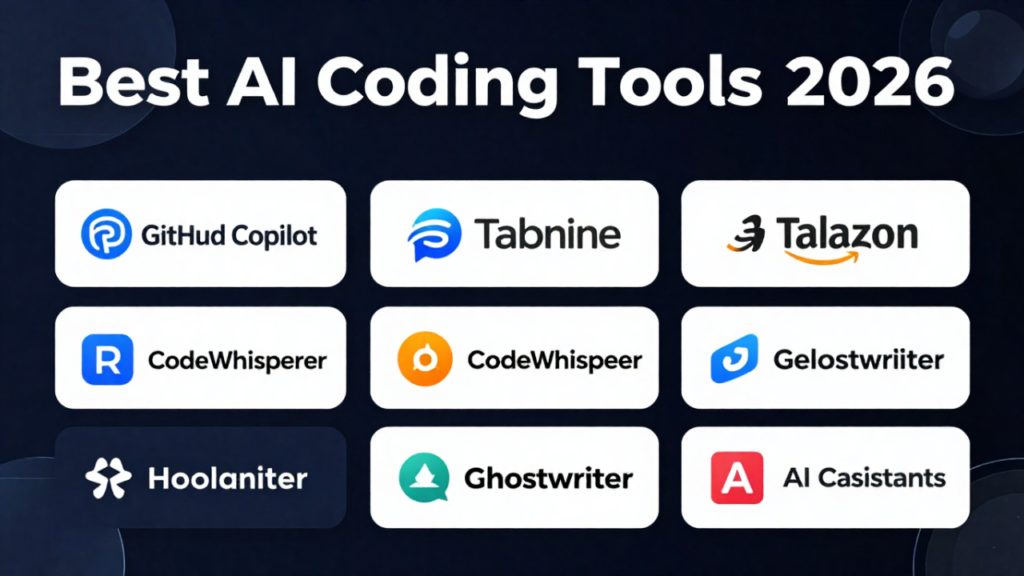
Top AI Tools for Coding in 2026
Now, let’s explore the most powerful AI tools for developers. Each tool offers unique features, and therefore, choosing the right one depends on your needs.
1. GitHub Copilot
GitHub Copilot is one of the most popular AI coding tools. It helps developers write code faster by suggesting entire lines or blocks of code.
Key Features:
- Real-time code suggestions
- Multi-language support
- Integration with popular IDEs
- Context-aware recommendations
Why Use It:
Because it understands your coding style, it improves over time. Additionally, it reduces repetitive tasks significantly.
2. ChatGPT for Coding
ChatGPT is widely used for generating code, debugging, and explaining complex logic. Moreover, it can convert plain English into working code.
Key Features:
- Code generation
- Debugging assistance
- Algorithm explanations
- Multi-language support
Why Use It:
Not only is it versatile, but it is also beginner-friendly. Therefore, it is ideal for both new and experienced developers.
3. Tabnine
Tabnine is another powerful AI coding assistant. It uses deep learning to provide accurate code completions.
Key Features:
- AI-powered autocompletion
- Privacy-focused design
- Team learning capabilities
Why Use It:
Because it prioritizes privacy, it is suitable for enterprise environments.
4. Codeium
Codeium is a free AI coding tool that offers advanced features without cost. Therefore, it is perfect for developers on a budget.
Key Features:
- Fast code suggestions
- Multiple language support
- IDE integrations
Why Use It:
Since it is free and powerful, it provides excellent value for money.
5. Replit Ghostwriter
Replit Ghostwriter is designed for cloud-based development. It helps developers write and debug code directly in the browser.
Key Features:
- Cloud-based coding
- AI assistance
- Real-time collaboration
Why Use It:
Because it works online, it eliminates the need for complex setups.
How AI Tools Improve SEO for Developers
Interestingly, AI coding tools also contribute to SEO optimization. For instance, they help generate clean, structured, and efficient code. As a result, websites load faster and perform better in search engines.
SEO Benefits
- Faster page load speed
- Clean HTML structure
- Optimized scripts
- Better user experience
Additionally, AI tools can generate SEO-friendly content for documentation and blogs. Therefore, developers can improve both technical and content SEO. How to Implement Effective AI Risk Governance in Your Organization
Best Practices for Using AI Coding Tools
Although AI tools are powerful, using them correctly is essential. Otherwise, you may face issues like incorrect code or security risks.
1. Always Review AI-Generated Code
Even though AI is advanced, it is not perfect. Therefore, always review the code before using it in production.
2. Combine AI with Human Expertise
AI should assist, not replace developers. Consequently, combining AI with human knowledge leads to better results.
3. Focus on Security
Some AI-generated code may contain vulnerabilities. Hence, always perform security checks.
4. Keep Learning
AI tools evolve rapidly. Therefore, staying updated is crucial for long-term success.
AI Tools for Different Programming Languages
Different tools perform better with specific languages. Therefore, choosing the right tool depends on your tech stack.
For Python
- ChatGPT
- Tabnine
For JavaScript
- GitHub Copilot
- Codeium
For Java
- Tabnine
- Codeium
For Web Development
- GitHub Copilot
- Replit Ghostwriter
As a result, developers can maximize efficiency by selecting the right tool.
AI Coding Tools for Beginners vs Professionals
AI tools are beneficial for both beginners and professionals. However, their usage differs.
Beginners
- Learn faster
- Understand coding concepts
- Build projects easily
Professionals
- Save time
- Improve productivity
- Optimize complex systems
Therefore, AI tools cater to all skill levels. Ultimate Guide to K-Means Clustering with Python Example
Common Challenges of AI Coding Tools
Despite their advantages, AI tools have some limitations.
- Incorrect code suggestions
- Dependency on AI
- Security concerns
- Limited understanding of complex logic
However, by using best practices, these challenges can be minimized.
Future of AI in Coding
The future of AI in coding looks promising. In fact, AI is expected to become an integral part of development workflows.
Trends to Watch
- AI-powered full-stack development
- Automated testing
- Voice-based coding
- Self-healing code
Consequently, developers who adopt AI early will have a competitive advantage.
SEO Keywords Used in This Article
To ensure maximum visibility, this article includes high-ranking keywords such as:
- AI tools for coding
- best AI coding tools 2026
- code generator
- programming tools
- AI for developers
- coding automation tools
- AI software development tools
- coding assistant tools for web development
- AI tools for programmers
Additionally, long-tail keywords are naturally integrated throughout the content.
Backlink Services & SEO Support
If you are looking to grow your online presence, high-quality SEO services are essential. Therefore, I offer professional services including:
- Keyword research
- On-page SEO
- Content writing
- Backlink building
These services are designed to improve your website ranking, increase traffic, and boost conversions.
📩 Contact: digitalminsa@gmail.com
Advanced Strategies for Using AI Coding Tools
To maximize the potential of AI tools, you need more than basic usage. Therefore, implementing advanced strategies is essential.
1. Prompt Engineering for Better Code
First and foremost, writing effective prompts significantly improves AI output. For example, instead of saying “write code,” you should specify the language, framework, and requirements.
Example:
“Write a responsive login form using HTML, CSS, and JavaScript with validation.”
As a result, the AI generates more accurate and usable code.

2. Combine Multiple AI Tools
Instead of relying on a single tool, you should use multiple tools together. For instance, you can use one tool for code generation and another for debugging.
Consequently, this approach improves efficiency and accuracy. AI Tools for SEO: How to Rank Higher Using Artificial Intelligence
3. Automate Repetitive Tasks
AI tools excel at automation. Therefore, you should use them for tasks such as:
- Writing boilerplate code
- Generating documentation
- Refactoring code
This not only saves time but also improves consistency.
4. Use AI for Code Reviews
AI tools can analyze code for errors and improvements. Additionally, they can suggest best practices and optimizations.
Therefore, integrating AI into your code review process is highly beneficial.
AI Tools Comparison Table
To help you choose the right tool, here is a quick comparison:
| Tool Name | Best For | Pricing | Key Strength |
|---|---|---|---|
| GitHub Copilot | General coding | Paid | Smart suggestions |
| ChatGPT | Learning & debugging | Freemium | Versatility |
| Tabnine | Enterprise use | Paid | Privacy |
| Codeium | Budget developers | Free | Cost-effective |
| Replit Ghostwriter | Cloud coding | Paid | Collaboration |
As you can see, each tool has its strengths. Therefore, your choice should depend on your specific needs.
Real-World Use Cases of AI in Coding
AI tools are not just theoretical—they are widely used in real-world scenarios.
1. Web Development
Developers use AI to generate HTML, CSS, and JavaScript code. Moreover, AI helps optimize website performance and SEO.
2. App Development
AI assists in building mobile applications faster. Additionally, it helps debug issues efficiently.
3. Data Science
AI tools help write Python scripts, analyze data, and build models. Therefore, they are invaluable for data scientists.
4. DevOps Automation
AI tools automate deployment, monitoring, and scaling processes. Consequently, teams can focus on innovation.
How to Choose the Best AI Coding Tool
Choosing the right tool can be challenging. However, by considering the following factors, you can make an informed decision.
1. Your Skill Level
Beginners should choose user-friendly tools. On the other hand, professionals may prefer advanced features.
2. Programming Language
Ensure the tool supports your preferred language.
3. Budget
Some tools are free, while others require subscriptions. Therefore, choose according to your budget.
4. Features
Look for features like debugging, automation, and integrations.
SEO Optimization Tips for Developers Using AI
AI tools can significantly improve your SEO strategy. However, you need to use them correctly.
1. Generate SEO-Friendly Code
Clean and optimized code improves website performance. As a result, search engines rank your site higher.
2. Optimize Content with AI
AI can generate blog posts, meta descriptions, and keywords. Therefore, it enhances content marketing.
3. Improve Page Speed
AI tools help optimize scripts and reduce load time. Consequently, user experience improves.
4. Use Structured Data
Structured data helps search engines understand your content better. Therefore, it boosts visibility.
E-E-A-T in AI-Generated Content
Google emphasizes Experience, Expertise, Authoritativeness, and Trustworthiness (E-E-A-T). Therefore, your content must meet these standards. AI News Update: Latest Developments in Artificial Intelligence
How to Maintain E-E-A-T
- Add real-world examples
- Use credible sources
- Provide accurate information
- Avoid misleading claims
Additionally, always review AI-generated content before publishing.
Long FAQ Section (SEO & AEO Optimized)
1. What are the best AI tools for coding in 2026?
The best AI tools include GitHub Copilot, ChatGPT, Tabnine, Codeium, and Replit Ghostwriter. Each tool offers unique features, so the best choice depends on your needs.
2. Are AI coding tools suitable for beginners?
Yes, AI tools are beginner-friendly. In fact, they help users learn coding faster by providing suggestions and explanations.
3. Can AI replace programmers?
No, AI cannot replace programmers. However, it can assist them by automating repetitive tasks and improving efficiency.
4. Are AI-generated codes reliable?
AI-generated code can be reliable, but it is not perfect. Therefore, developers should always review and test the code.
5. Do AI tools improve SEO?
Yes, AI tools improve SEO by generating clean code, optimizing performance, and creating high-quality content.
6. What is the future of AI in software development?
The future includes automation, AI-driven development, and smarter coding assistants. Consequently, development will become faster and more efficient.
7. Which AI tool is free for coding?
Codeium is one of the best free AI coding tools available.
8. How do AI coding tools work?
They use machine learning and natural language processing to analyze and generate code.
9. Are AI tools safe to use?
Most AI tools are safe. However, developers should check for security vulnerabilities.
10. Can AI help in debugging?
Yes, AI tools can identify errors and suggest fixes quickly. What Are AI Ethical Frameworks? A Complete Responsible AI Guide
11. What programming languages do AI tools support?
Most tools support Python, JavaScript, Java, C++, and more.
12. How to use AI tools effectively?
Use clear prompts, review outputs, and combine AI with human expertise.
13. Do AI tools require internet access?
Some tools do, while others offer offline features.
14. Can AI generate full applications?
Yes, but human input is still required for customization and optimization.
15. Is AI coding expensive?
Not necessarily. Many tools offer free plans or affordable pricing.
16. What are the limitations of AI coding tools?
Limitations include inaccuracies, lack of deep understanding, and security risks.
17. Can AI write clean code?
Yes, AI can generate clean and structured code when used correctly.
18. How does AI improve productivity?
It reduces manual work, speeds up development, and improves accuracy.
19. Are AI tools good for teams?
Yes, they enhance collaboration and streamline workflows.
20. What is the best AI tool for web development?
GitHub Copilot and Replit Ghostwriter are excellent choices.
Final Conclusion
In conclusion, AI tools for coding are transforming the software development industry. Not only do they improve efficiency, but they also enhance code quality and SEO performance. Therefore, developers who adopt these tools will stay ahead of the competition.
Moreover, by following best practices, using advanced strategies, and focusing on E-E-A-T, you can maximize the benefits of AI tools. Chatbot Explained: Types, Uses, Examples, how to build one
Ultimately, the future belongs to developers who embrace AI. So, start using these tools today and take your coding skills to the next level.














Post Comment
You must be logged in to post a comment.